Payment Management
Payment Management
You can manage payment from the BACKND top menu (GNB): Profile → Dropdown Menu → Payment Management

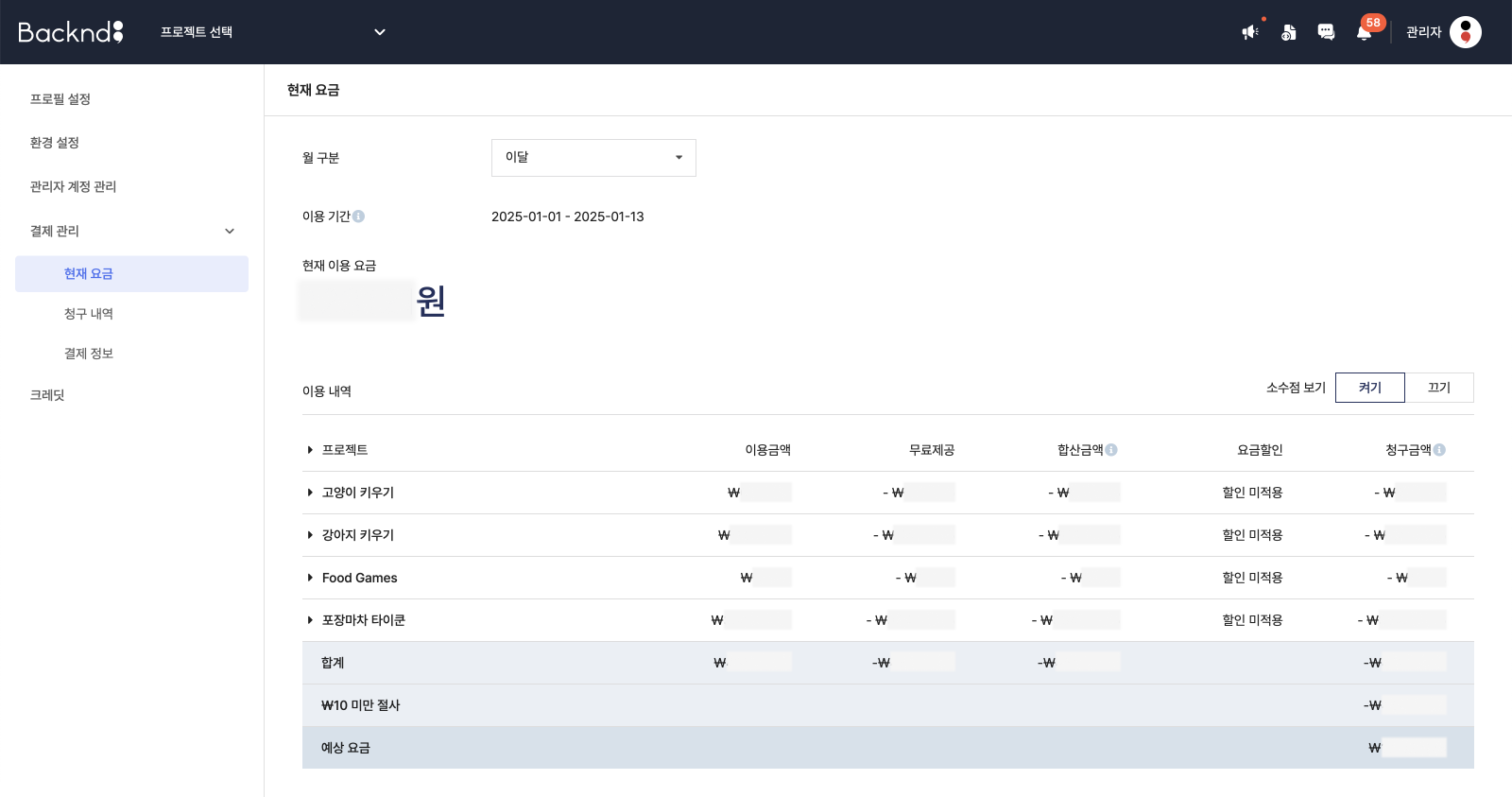
Current fee
Under "Current fee," you can view your usage fees for this month and last month.
Usage details are displayed by project, and the following items are included in the billing:
- BACKND Base fee
- Push message fee
- BACKND Function fee
- Chat fee
- DB fee
You can check the total amount and the estimated cost.
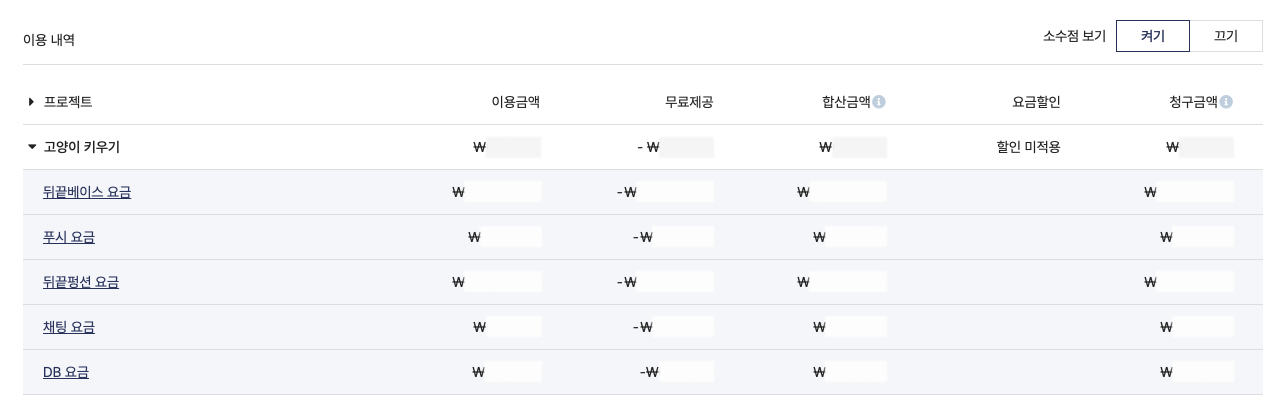
Detailed payment history
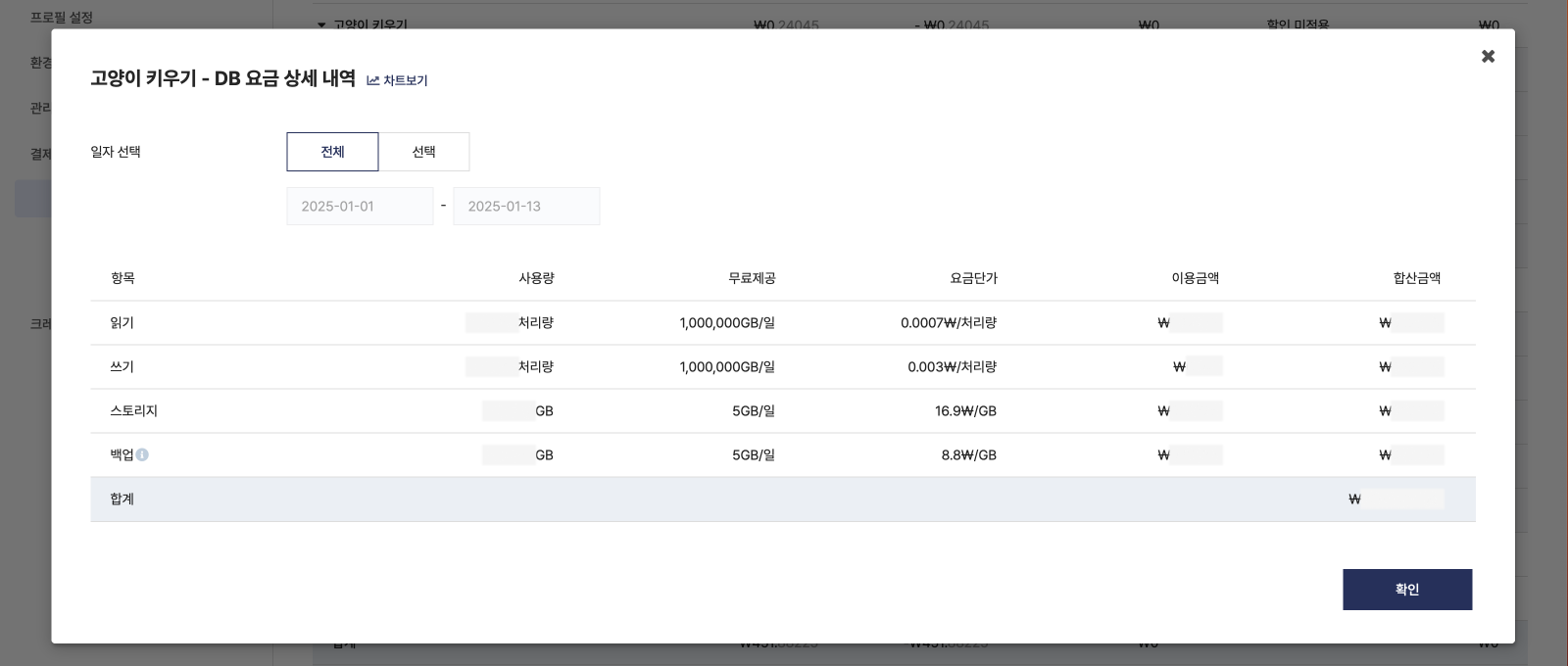
- You can check the detailed payment history for each item.
- Only items with usage are displayed; items with 0 usage will not appear.
Billing history
- You can view your billing history by month.
- Invoices are issued on the 5th of the following month.
- Once an invoice is issued, automatic payment will be processed on the 10th using the registered payment information.
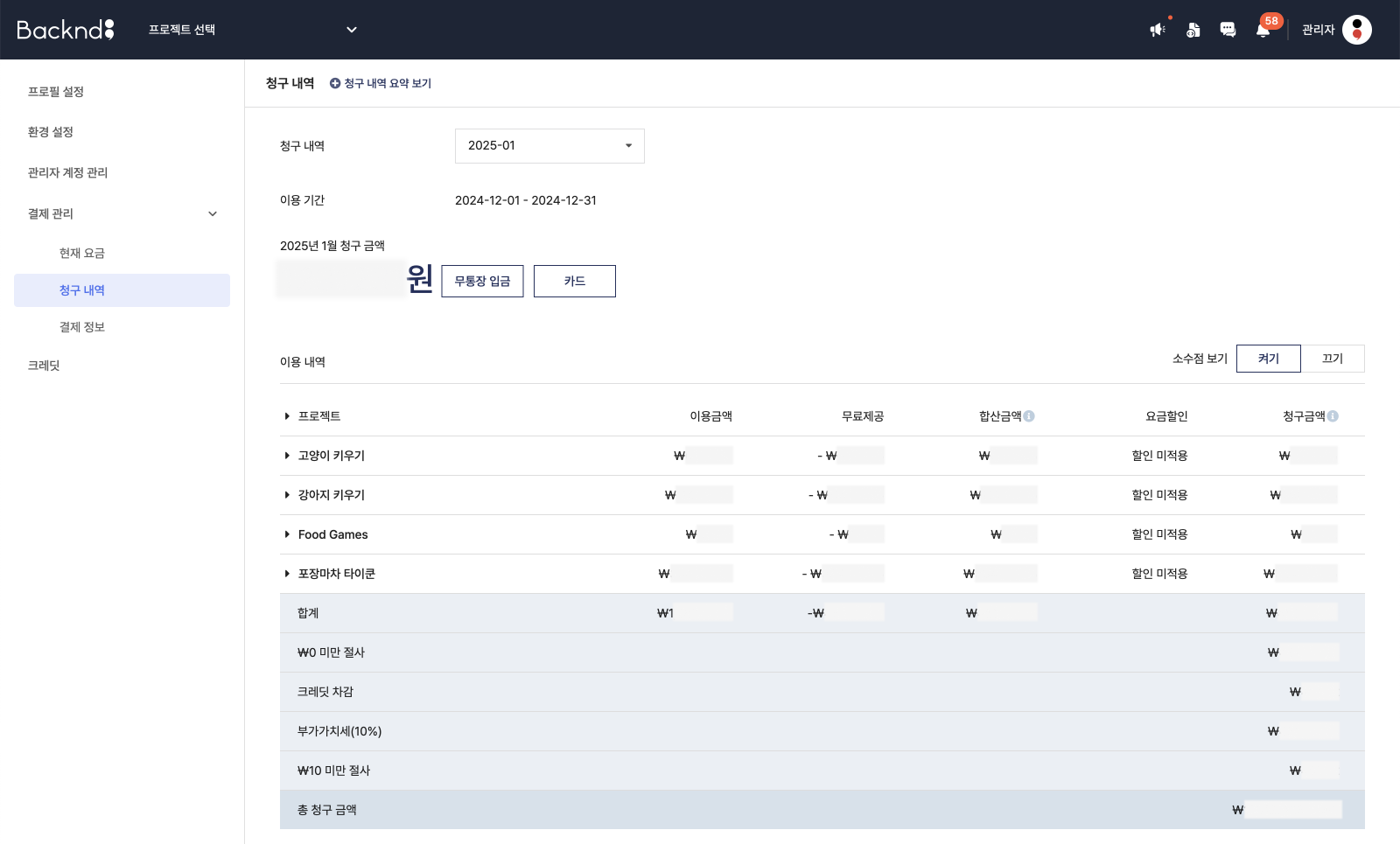
Billing is calculated based on UTC time.
e.g.)
Charges for May 1 (UTC) are based on usage from May 1, 09:00 to May 2, 08:59 KST.
Data storage usage is continuously monitored and charged based on total accumulated usage and index usage.
Each transaction write and transaction read counts as 2 units of throughput.
Data storage and backup are charged in 1GB increments.
e.g.)
When usage exceeds the free 5GB storage limit, a fee of $0.0169 applies from the moment of excess until reaching 6GB.
When calculating metrics such as DAU and MAU via the console, DB read/write fees apply.
DB read/write charges also apply when data is deleted, either automatically or manually.
BACKND Function will incur additional charges if the usage exceeds the limit, even in development mode.
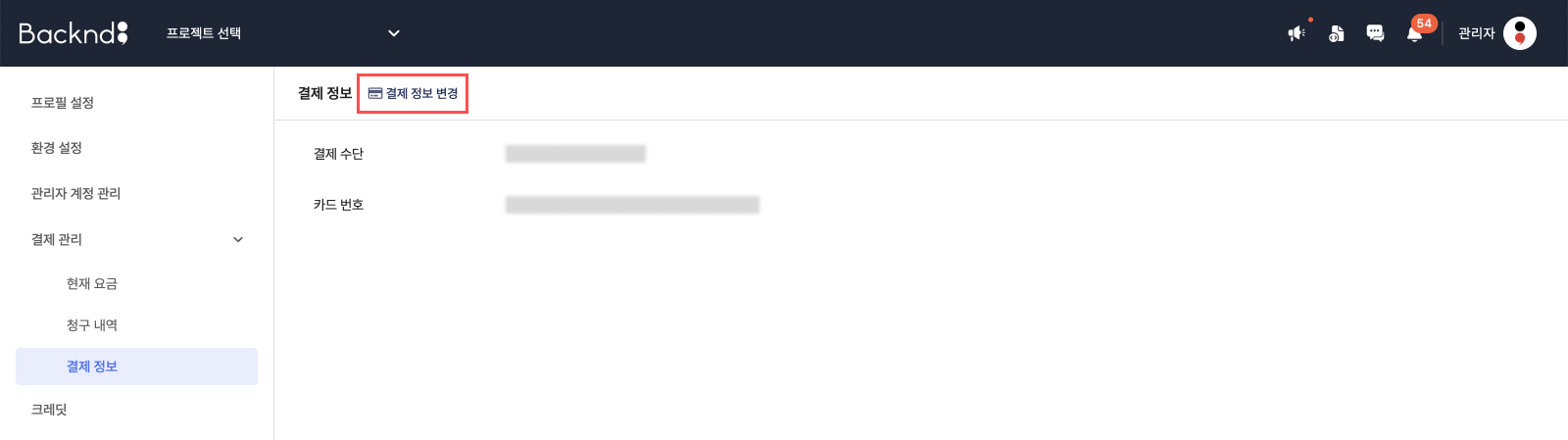
Payment information
You can enter and register your payment information.
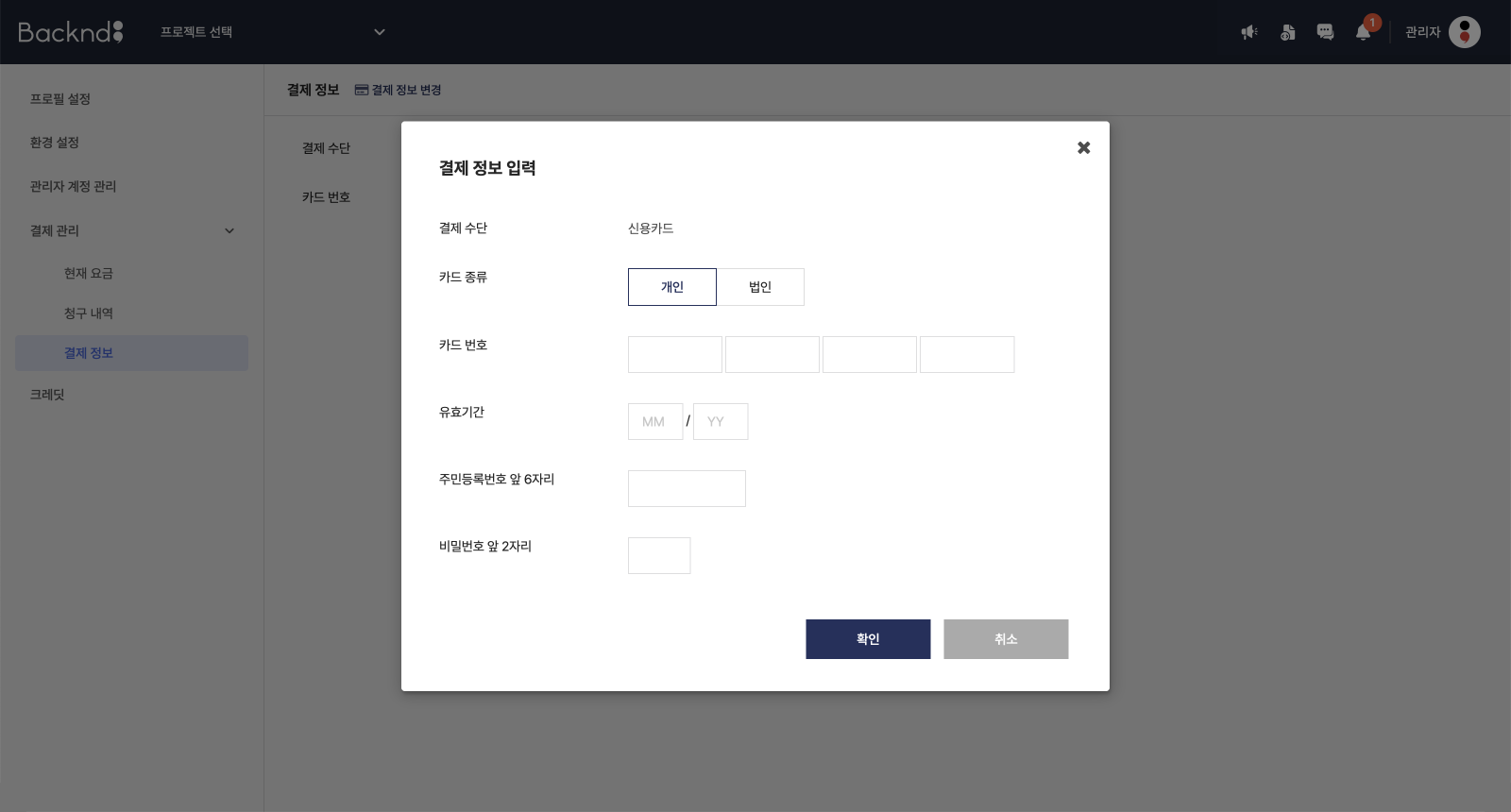
- Automatic payment will be processed on the 10th of every month using the registered payment method.
- Click the Change Payment Information button to update your registered payment details.