App Store
Enter App Store information
The following information is required to provide the receipt verification feature function and statistics related to revenue on the dashboard.
You can use BACKND Console's receipt verification function and revenue-related statistics on the dashboard after entering the information.
This information can be obtained from App Store Connect.
- SKU
- Vendor Number
- Issuer ID
- Key ID
- API Key(P8 file)
-907eab16ae7277ff7c50923e94457bad.png)
SKU
The SKU is a unique ID for your app that is created when you register your app in the Apple store, and it is a separate value from your bundle ID.
The SKU is information required to check the sales information of paid apps.
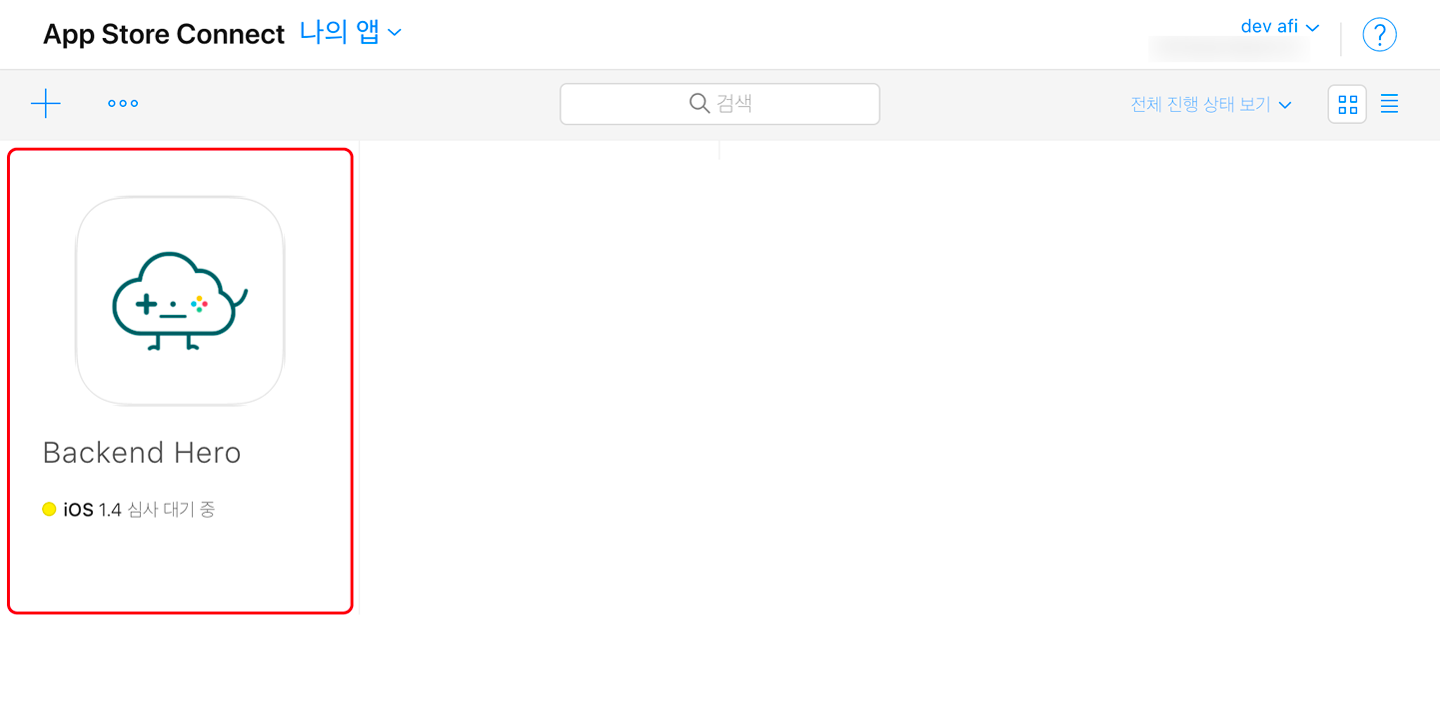
Enter the SKU in BACKND Console → Server Settings → Store Information → App Store → SKU.\ 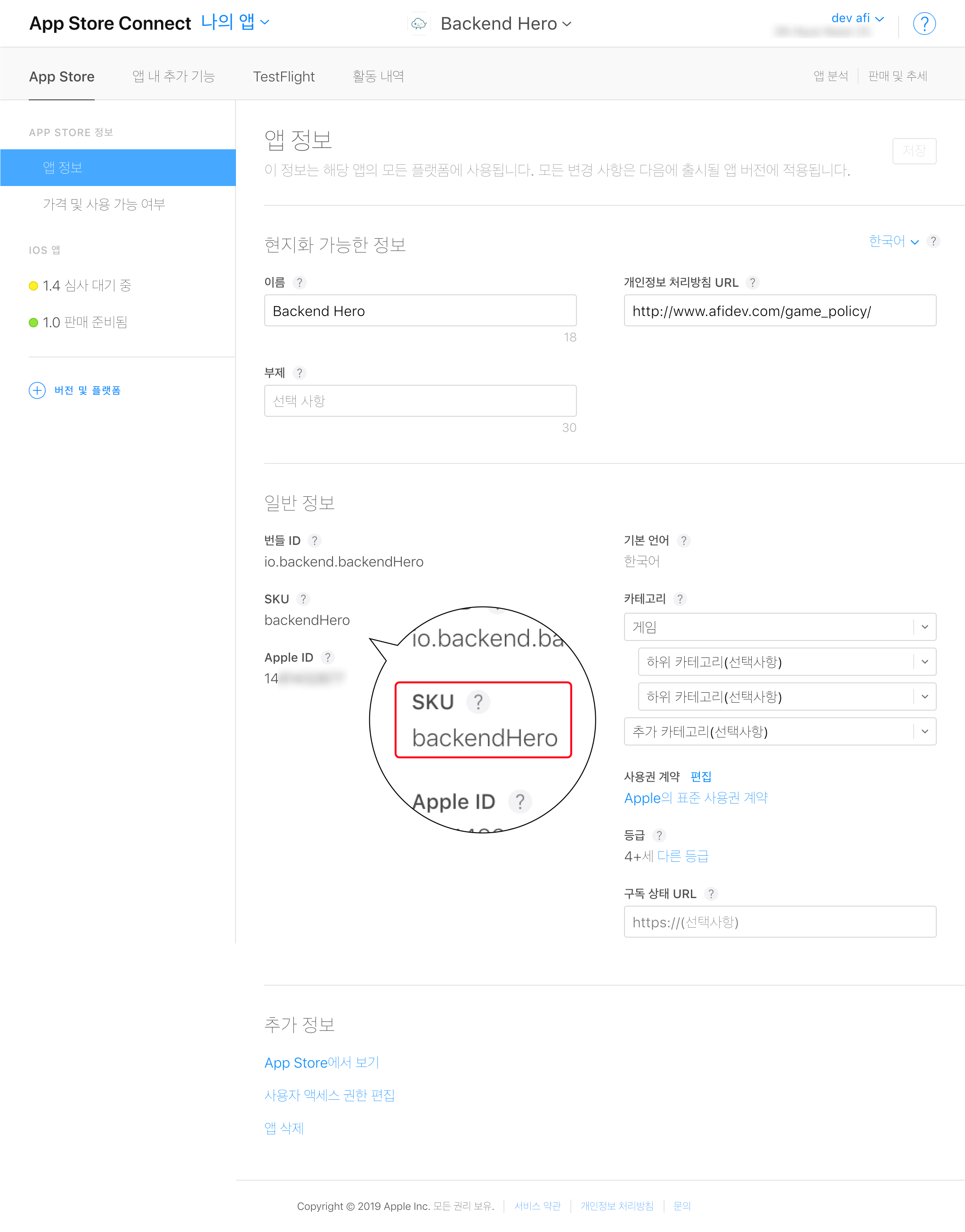
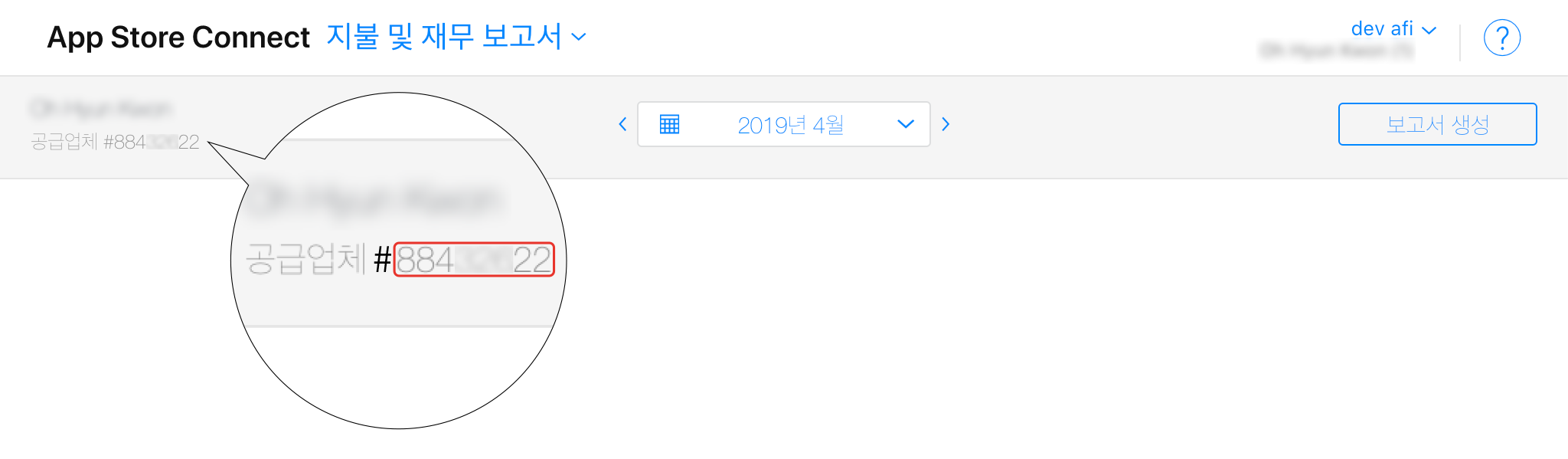
Vendor Number
Enter the vendor number in BACKND Console → Server Settings → Store Information → App Store → Vendor Number(excluding #).\ 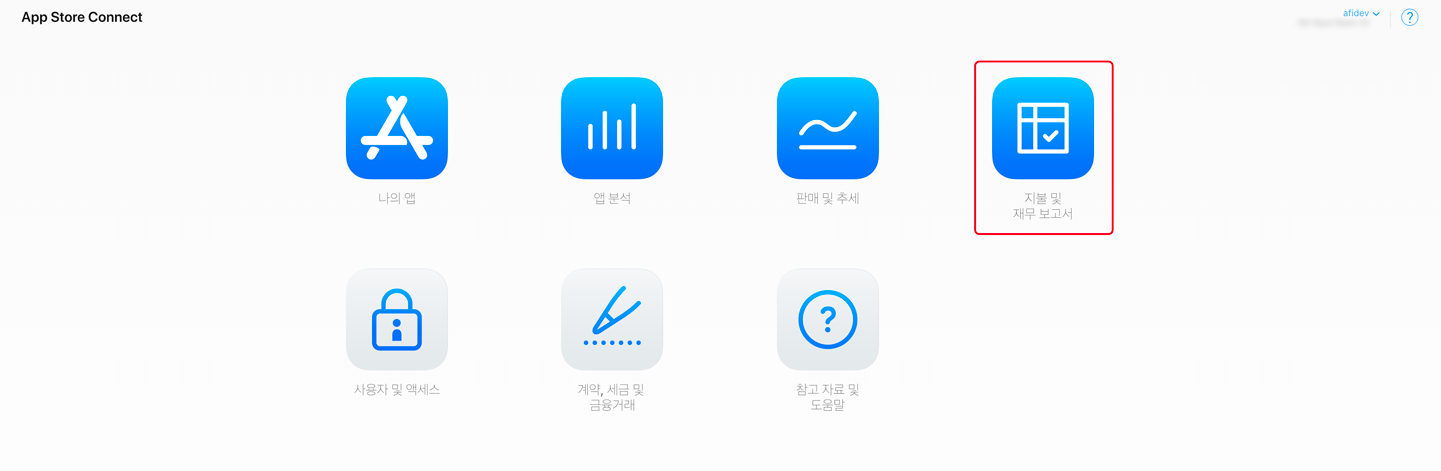
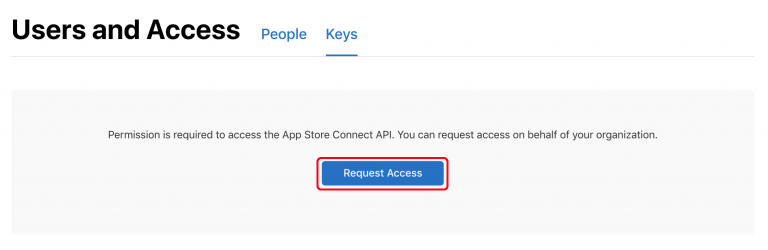
Request App Store Connect API Access
In order to get the App Store Connect API Key, you must first request access.
This process requires approval from Apple after application, and the approval process may take up to a week or more.
After receiving approval from Apple, generate an API key.\ 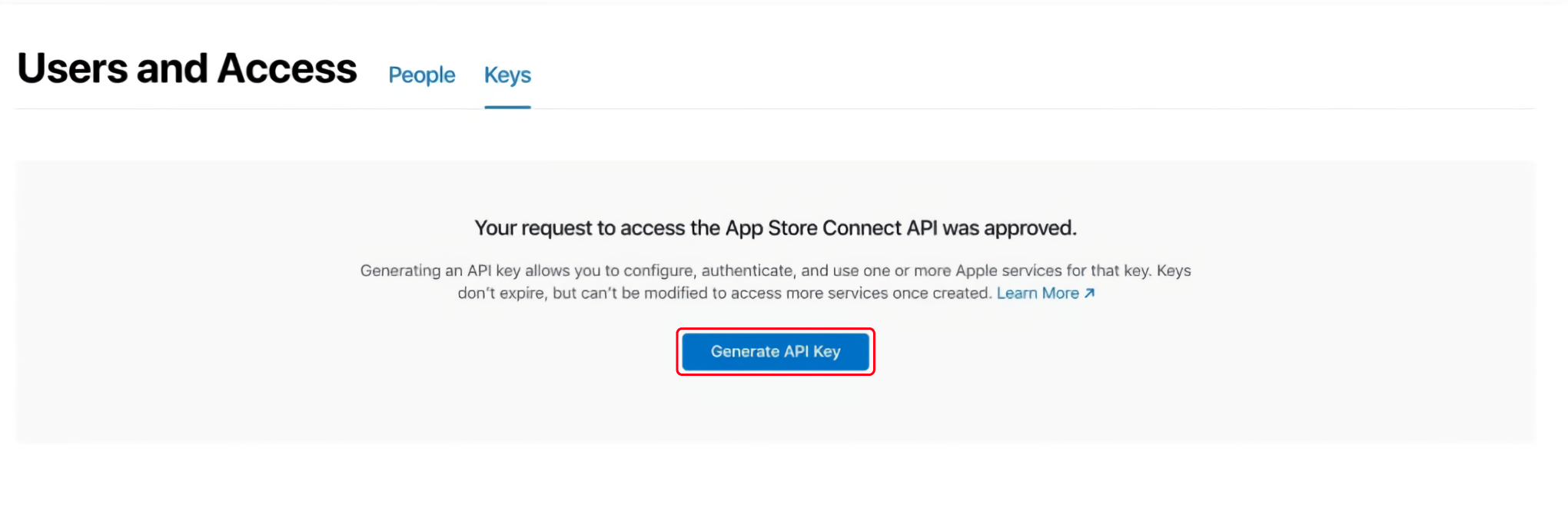
Issuer ID
The Issuer ID is a unique ID used to identify the issuer that generated the authentication token.
Enter the Issuer ID in BACKND Console → Server Settings → Store Information → App Store → Issuer ID.\ 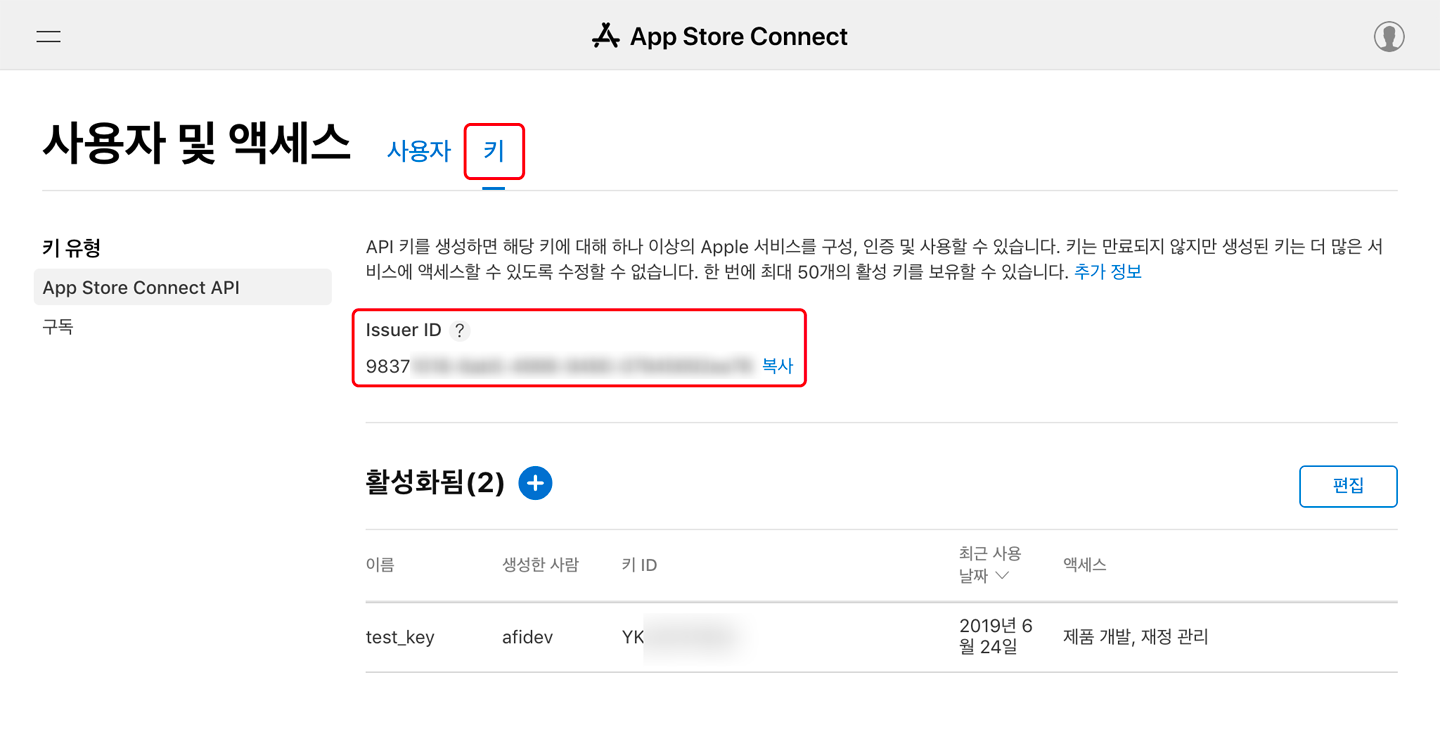
Key ID
This is the ID of the key to access the App Store Connect API.\ 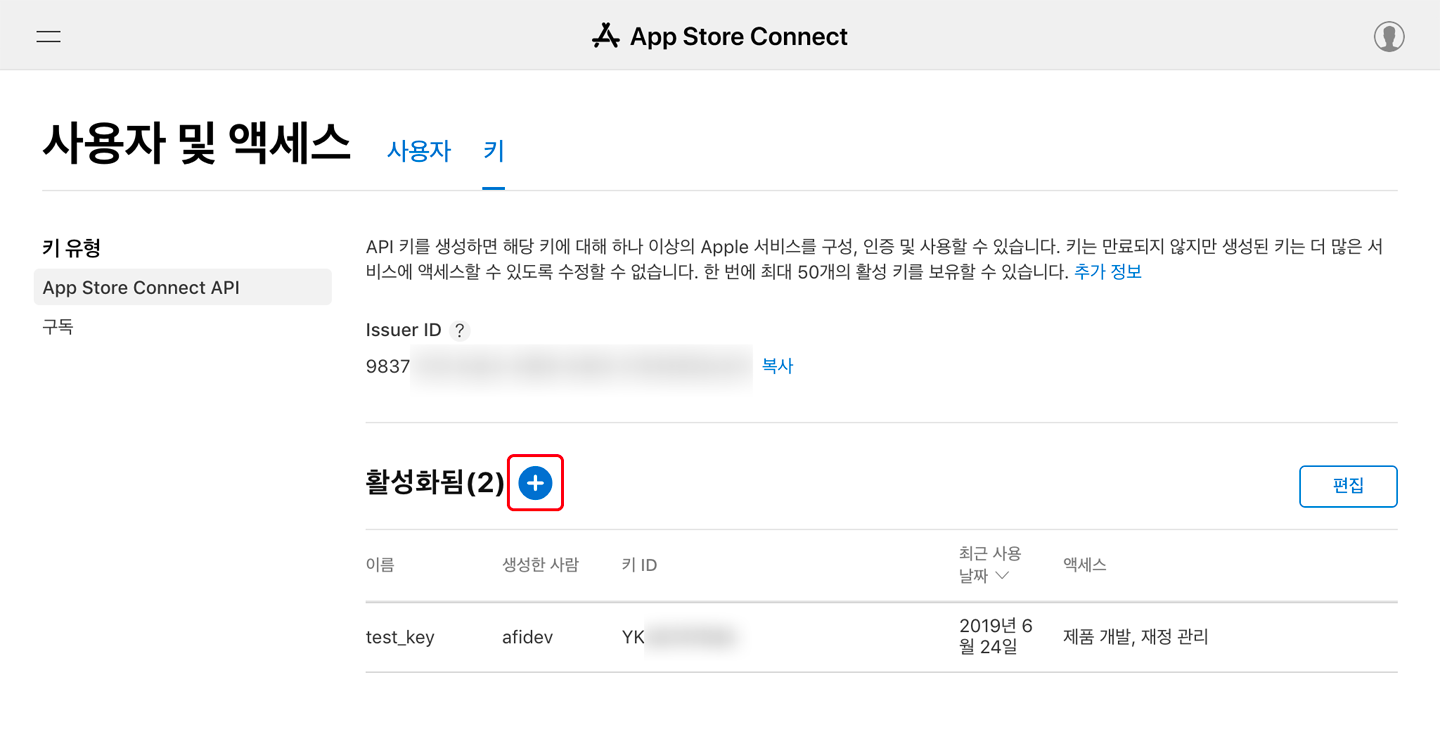
When generating a key, make sure to add Finance.\ 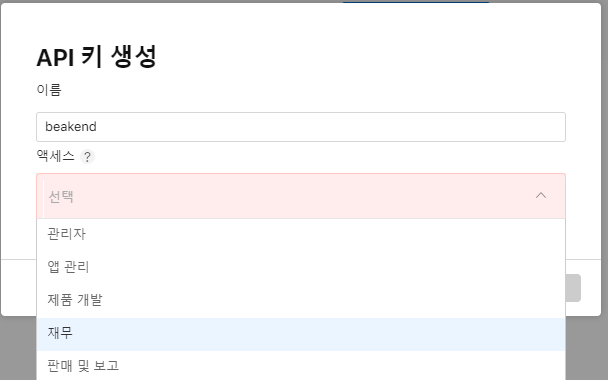
Enter the generated key in BACKND Console → Server Settings → Store Information → App Store → KEY ID.\ 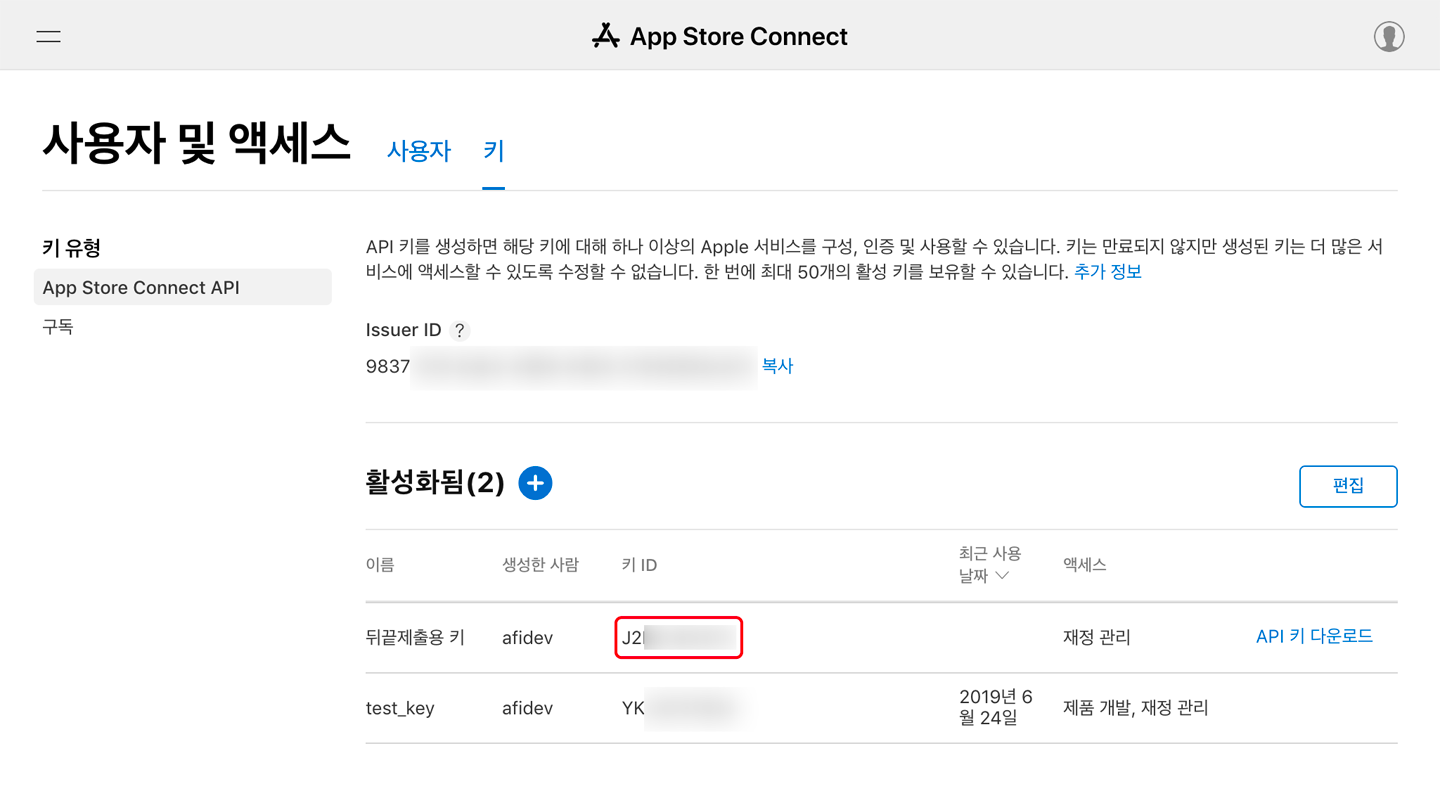
API Key(P8 File)
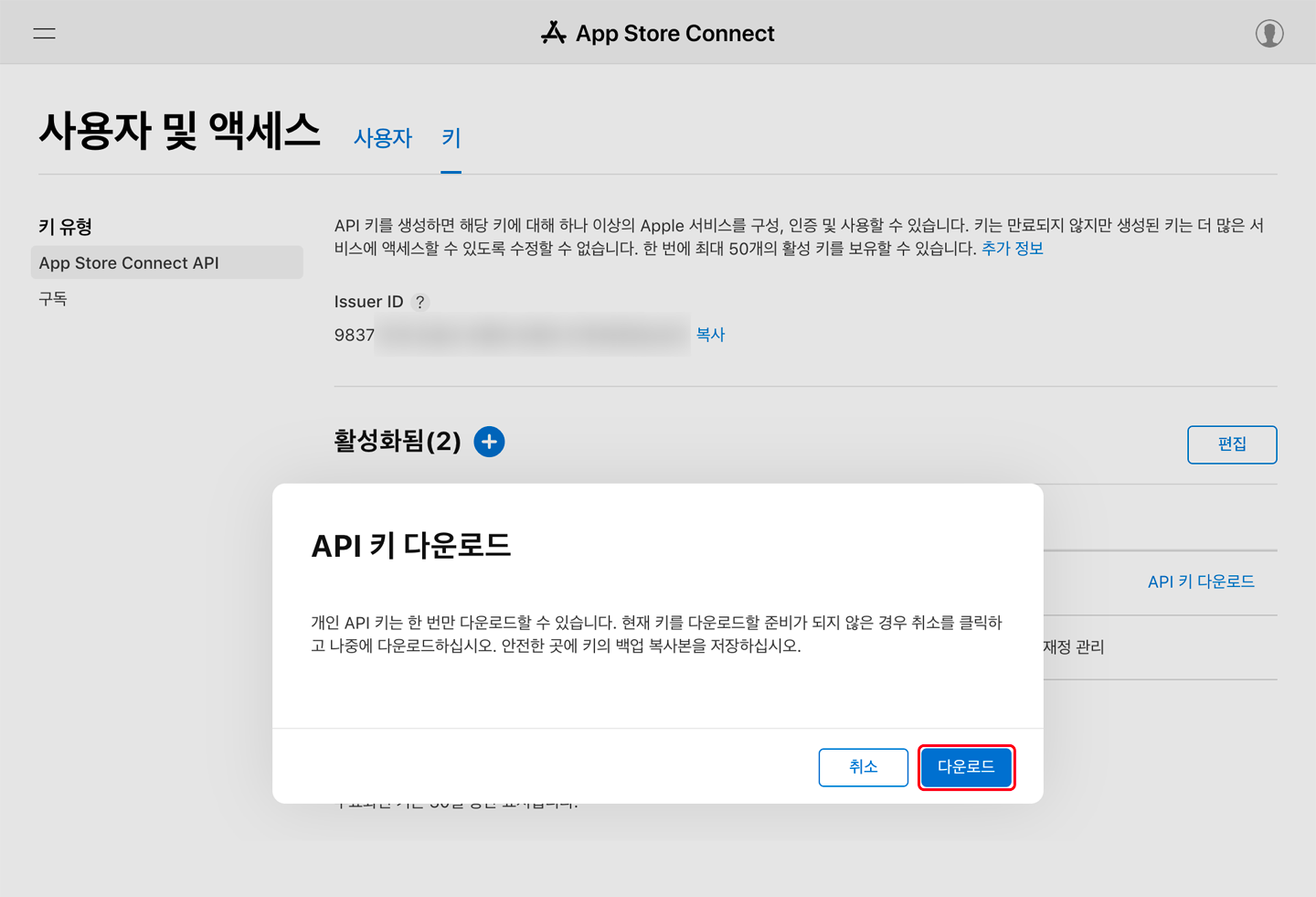
This is the key file required to access the App Store Connect API.\ 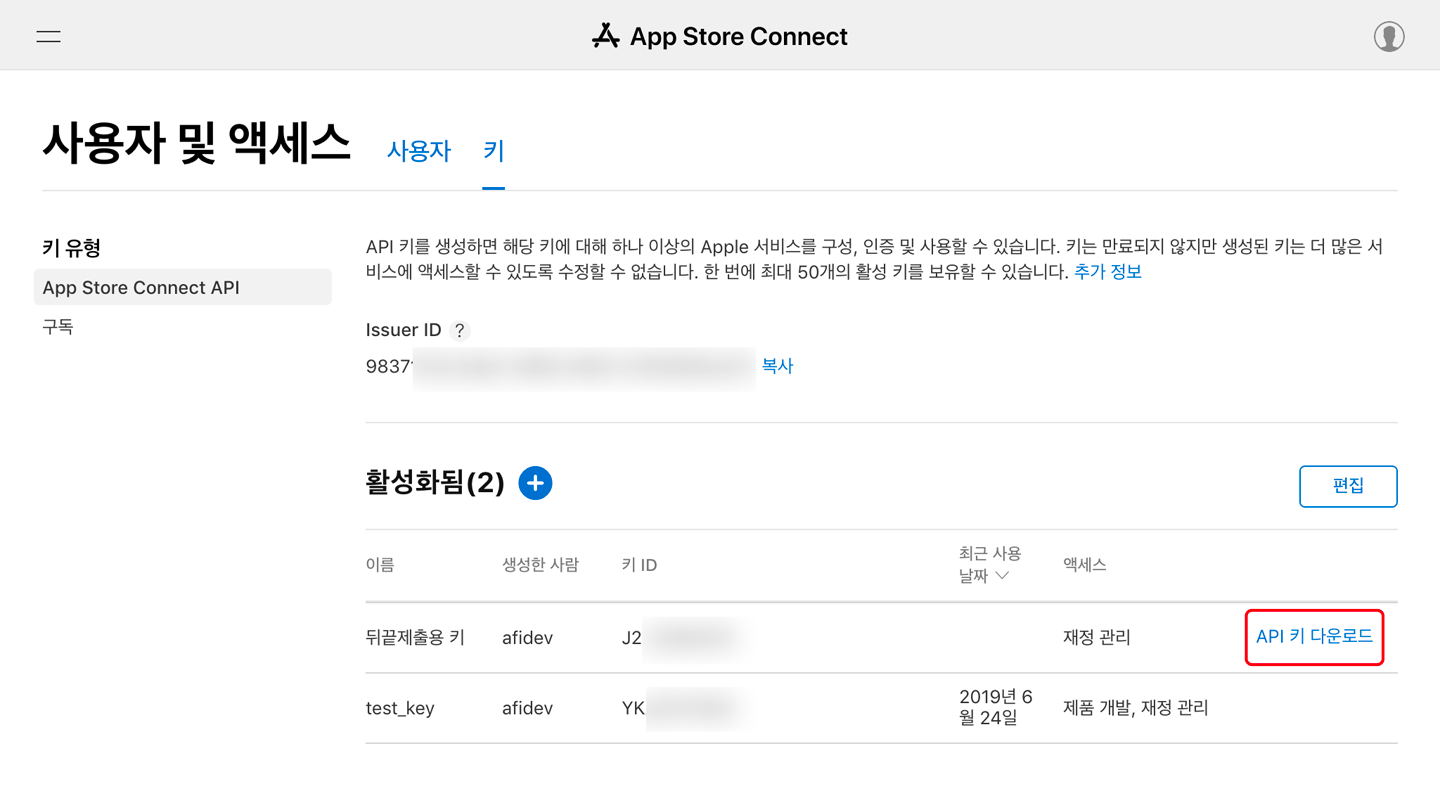
Download the API key and upload it to BACKND Console → Server Settings → Store Information → App Store → API KEY.\