before
BACKND Guidelines > 8. Implementing Friend Functions > Step 1. Pre-arrangements
Pre-arrangements
The following tasks must be completed in advance to implement game log functions.
- Set the maximum number of friends
- Write a logic of completed login method
- Create a script exclusive to friend functions
1. Set the maximum number of friends in BACKND Console
The maximum number of friends must be set in BACKND Console.
Go to BACKND Console, and in Server Settings - Social, set the maximum number of friends to 100.(Max count: 100)
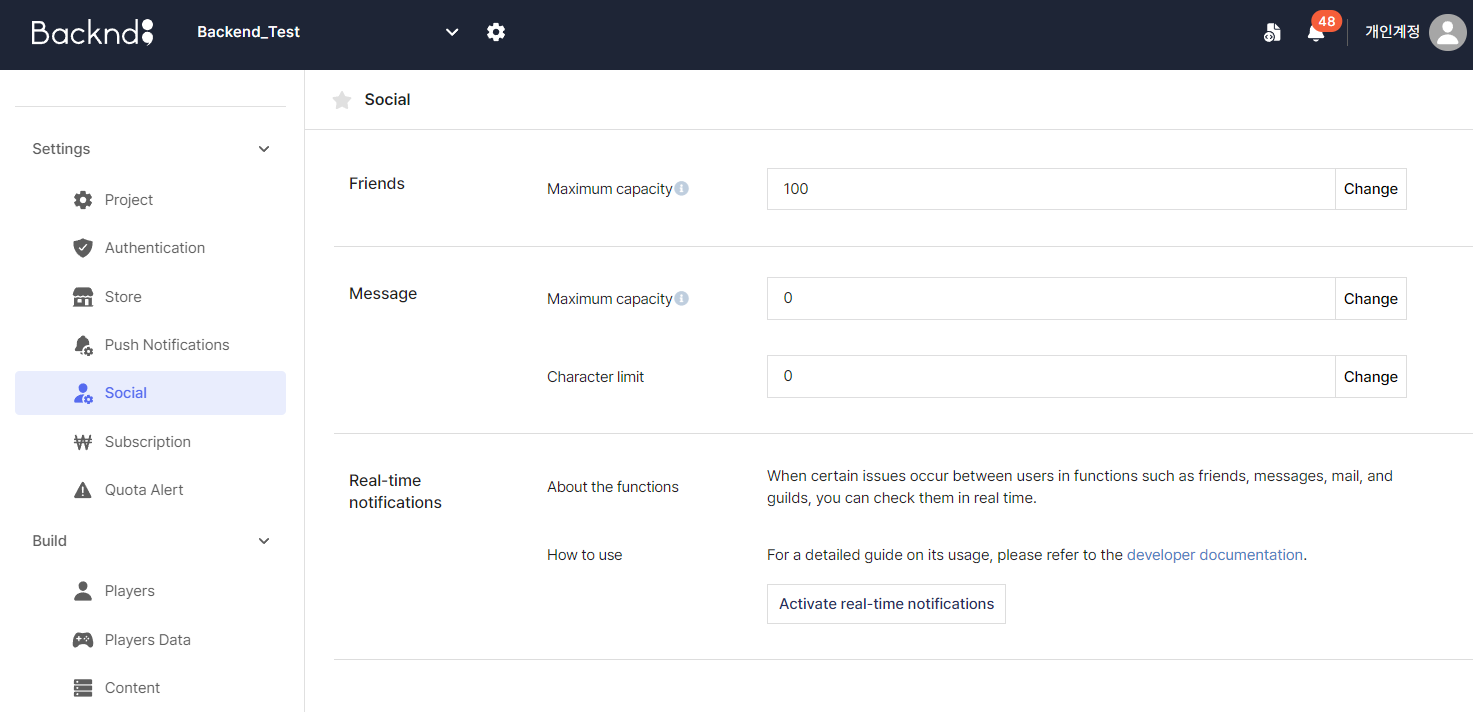
2. Logic of completed login method
All BACKND functions except login and sign-up require a login process to successfully call their methods.
If the login logic has not been implemented, please implement it according to the guidelines in 1. Implementing Login/Sign-up.
3. Create a script exclusive to friend functions
Create a new script and change the name to BackendFriend.
Then, open the BackendFriend.cs script and change the content according to the following:
When an error occurs in Tuple<string, string>, refer to the code and add the using System.Collections.Generic at the very top of BackendFriend.cs.
BackendFriend.cs
using System;
using System.Collections.Generic;
using System.Text;
using UnityEngine;

// Adds BACKND SDK namespace
using BackEnd;

public class BackendFriend
{
    private static BackendFriend _instance = null;

    public static BackendFriend Instance {
        get {
            if(_instance == null) {
                _instance = new BackendFriend();
            }

            return _instance;
        }
    }

    private List<Tuple<string, string>> _requestFriendList = new List<Tuple<string, string>>();

    public void SendFriendRequest(string nickName) {
        // Adds logic of Step 2. Sending Friend Requests
    }

    public void GetReceivedRequestFriend() {
        // Adds logic of Step 3. Loading and Accepting Friend Requests(part on loading)
    }

    public void ApplyFriend(int index) {
        // Adds logic of Step 3. Loading and Accepting Friend Requests(part on accepting)
    }

    public void GetFriendList() {
        // Step 4. Loading Friends List
    }
}
BackendManager.cs
using UnityEngine;
using System.Threading.Tasks;

// Adds BACKND SDK namespace
using BackEnd;

public class BackendManager : MonoBehaviour {
    void Start() {
        var bro = Backend.Initialize(true); // Initialize BACKND

        // Response value for BACKND initialization
        if(bro.IsSuccess()) {
            Debug.Log("Initialization successful : " + bro); // If successful, 'statusCode 204 Success'
        } else {
            Debug.LogError("Initialization failed : " + bro); // If failed, a 4xx statusCode error occurs
        }

        Test();
    }

    // A method that allows synchronous methods to be called from asynchronous methods(cannot be accessed by the Unity UI)
    async void Test() {
        await Task.Run(() => {
            BackendLogin.Instance.CustomLogin("user1", "1234");

            // Adds logic for friend functions

            Debug.Log("Test complete.");
        });
    }
}