post-in-console
BACKND Guidelines > 5. Implementing Mail Functions > Step 2. Sending Mail From the Console
Sending Mail From the Console
1. Send mail from the console
Go to BACKND Console, and in BACKND Base > Mail Management, click the Register Mail button.
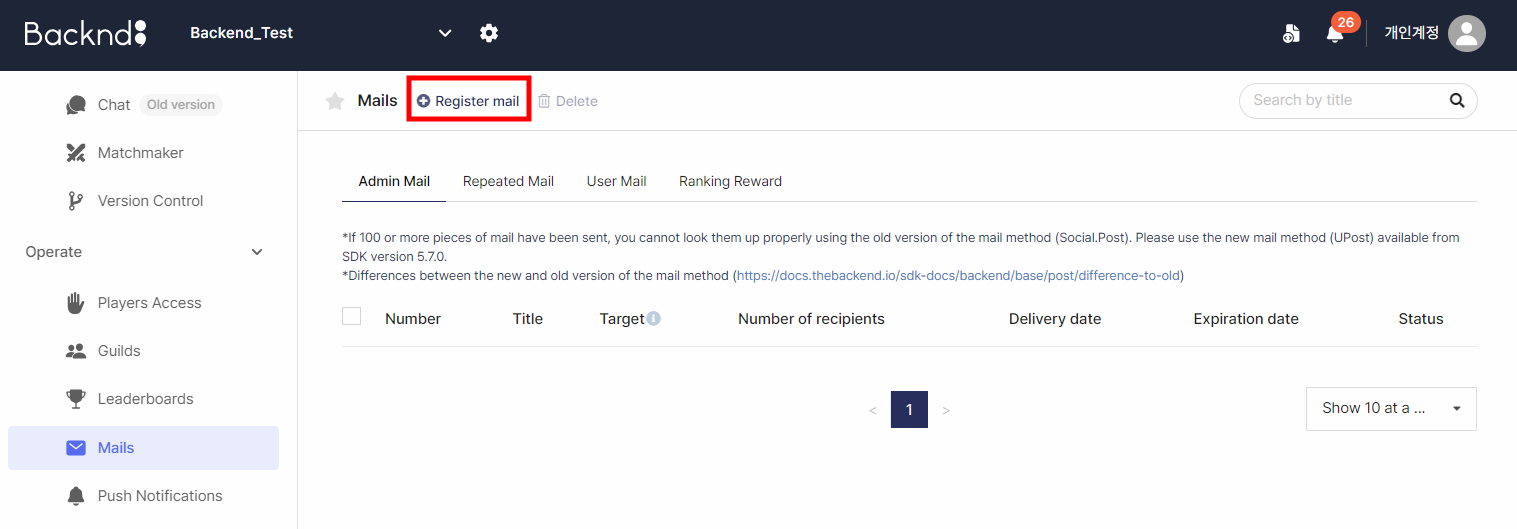
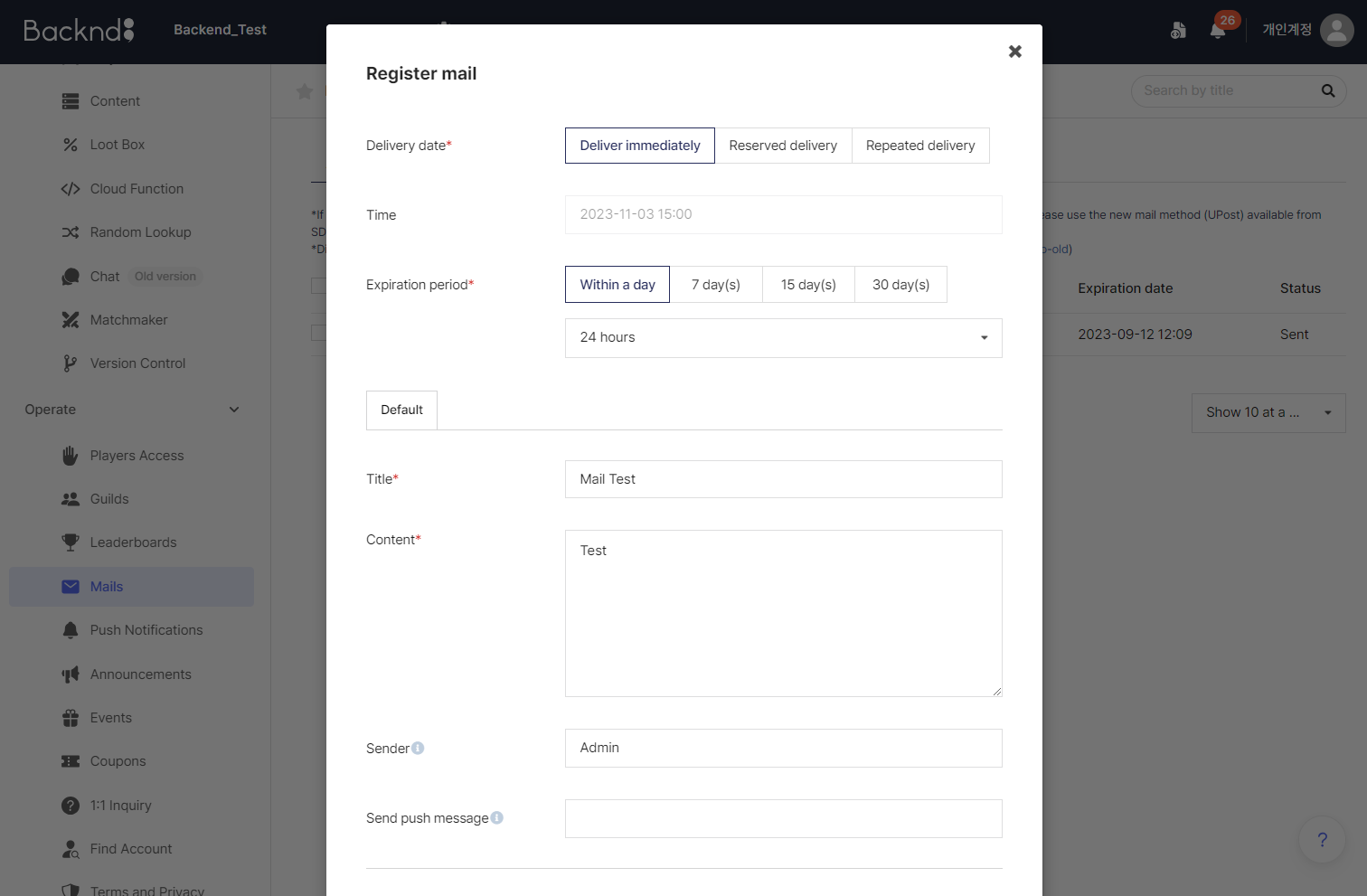
Create a piece of mail that will be sent immediately.
| Classification | Setting value |
|---|---|
| Sent date | Immediate delivery |
| Expiry date | Desired value |
| Title | Desired value |
| Content | Desired value |
| Sender | Desired value |
| Push message | Blank |
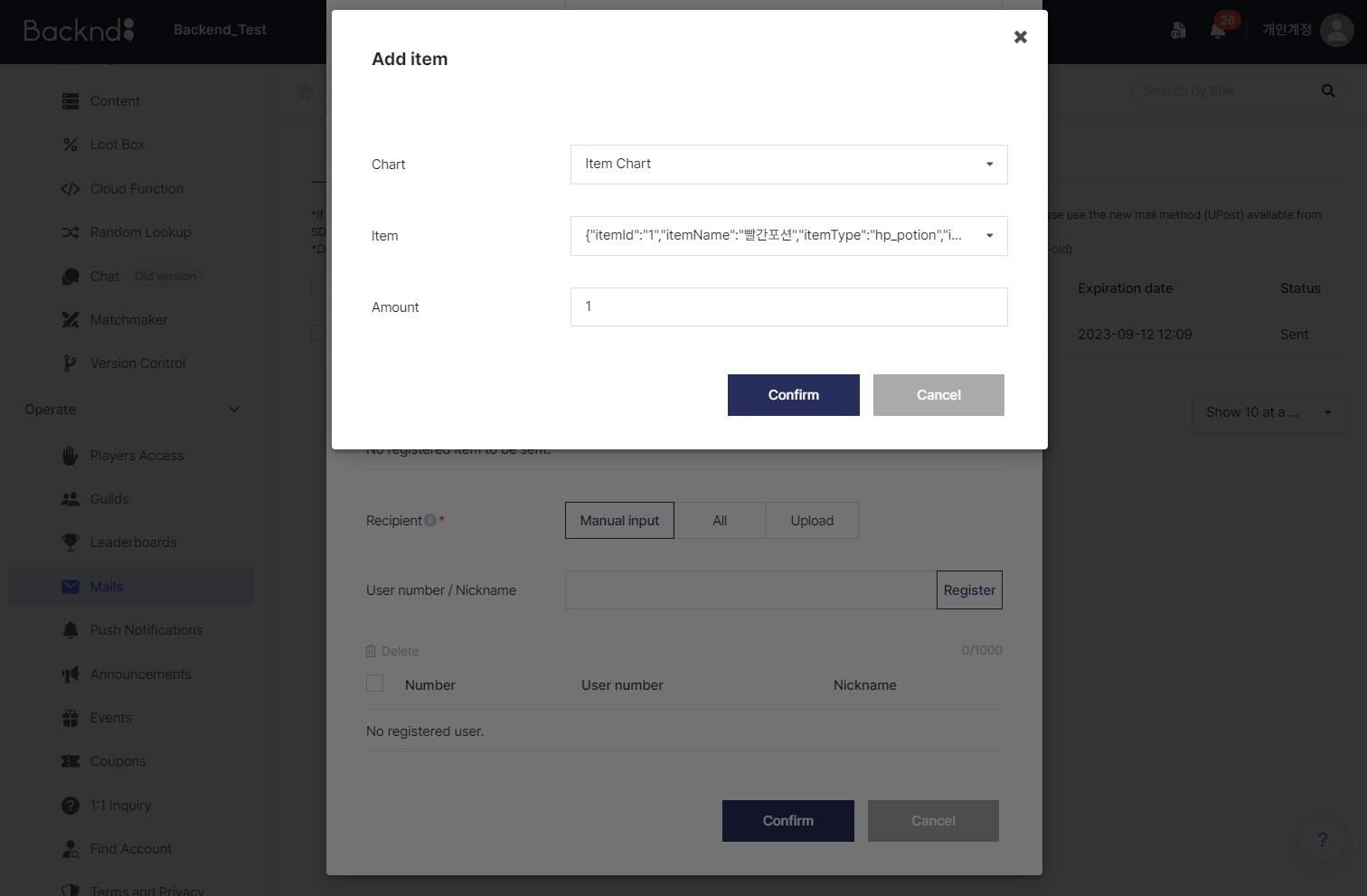
Click Add Item at the bottom and select the item to be given.
| Classification | Setting value |
|---|---|
| Chart | Item chart |
| Item | Desired value |
| Quantity | Desired value |
If reward items cannot be selected, it may be because there are no item charts with the mail function enabled.
In this case, refer to Step 1. Pre-arrangements and create an item chart with the mail enabled.
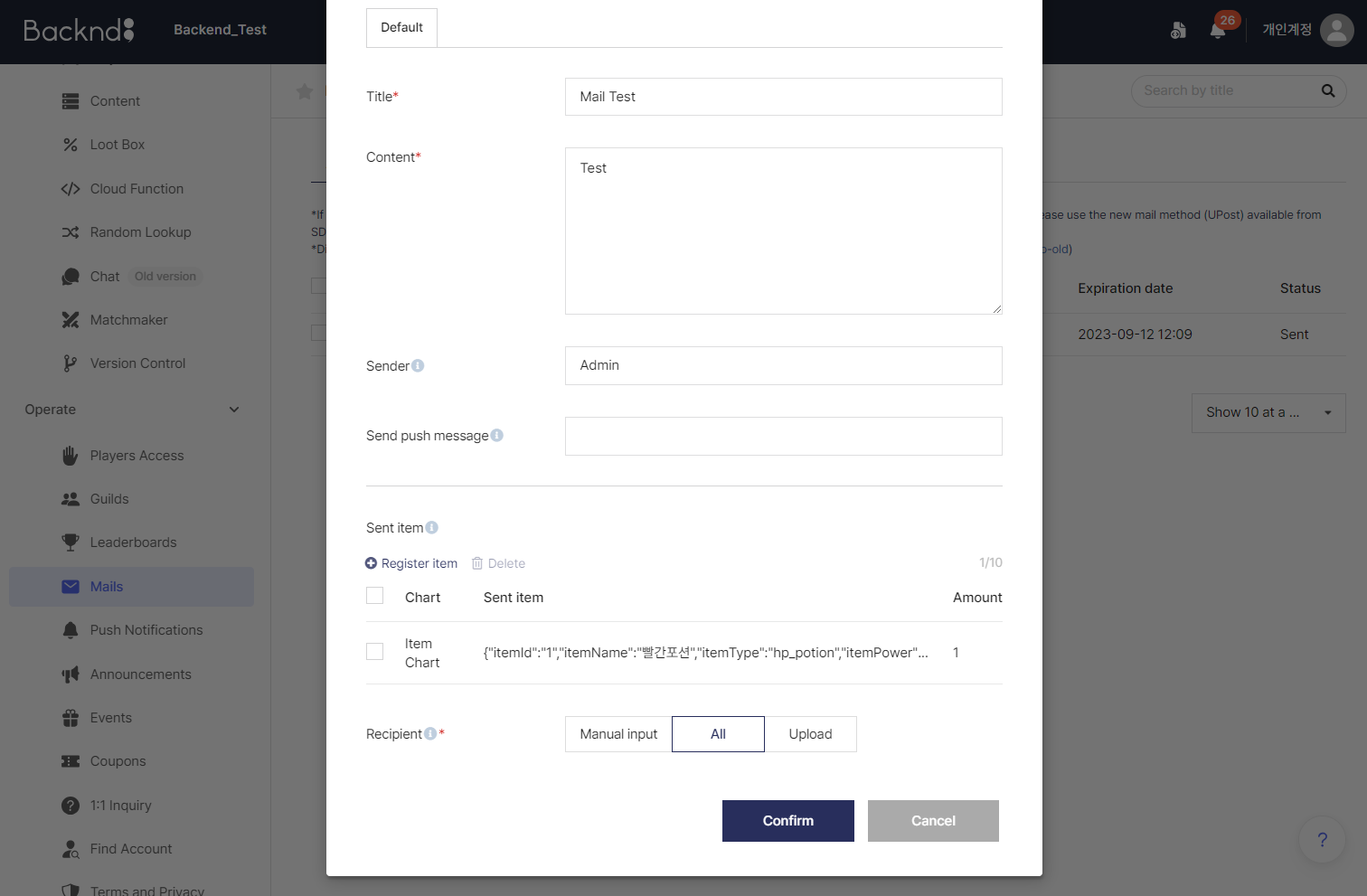
Then, set the recipient to All and click OK to create the piece of mail.
| Classification | Setting value |
|---|---|
| Recipient | All |