주의점 및 커스텀 방법
데이터 초기화 시간 조정
문의 내역 데이터는 기본적으로 5분에 한번 초기화되도록 구현되어있습니다.
따라서 문의 내역은 실시간으로 반영이 되지 않으며 5분 이후에 문의 내역 탭에 들어가야 새롭게 상태가 갱신된 문의 내역을 확인 할 수 있습니다.
유저의 불편 혹은 잦은 호출량으로 인해 해당 주기를 변경하고자 할 경우에는 초기화 주기(초 단위)를 조절해주시기 바랍니다.
BackendPlus.Question.SetQuestionListReloadDelaySeconds(600); // 600초
문의 내역 페이징 기능 비활성화
문의내역 불러오기는 페이징 형태로 되어있습니다.
스크롤이 마지막 지점일 경우 더 불러올 수 있는 데이터가 존재한다면 이후 10개의 문의 내역을 더 불러오게 됩니다.
이로 인하여 호출량이 많이 발생할 경우 다음 함수를 통해 페이징 기능을 비활성화해주시기 바랍니다.
유저에게는 최대 10개의 최신 문의 내역만 불러오게 됩니다.
// 페이징 기능 비활성화
BackendPlus.Question.SetFirstKeyActive(false);
UI 색상 변경
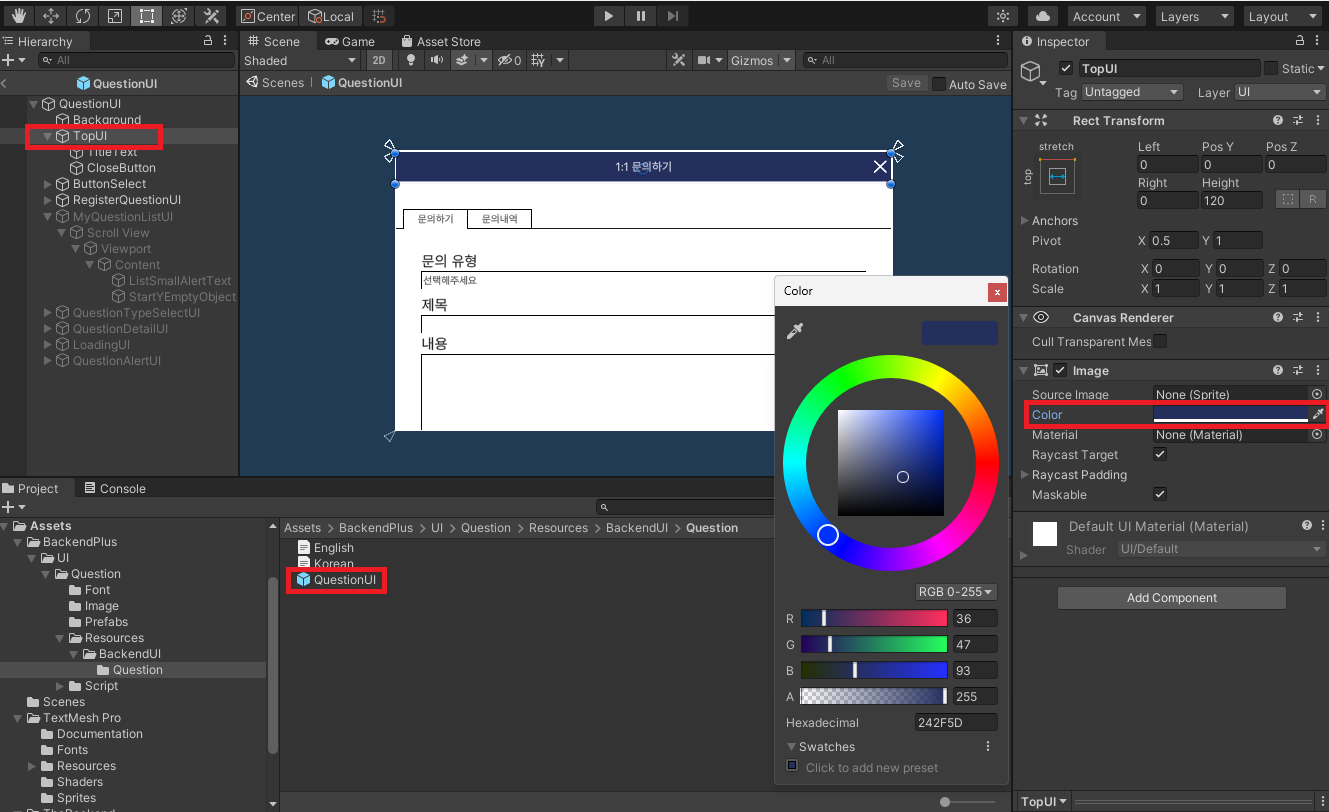
Assets > BackendPlus > UI > Question > Resources > BackendUI > Question에 존재하는 QuestionUI를 수정하여 원하는 UI의 색상을 변경할 수 있습니다.
문의유형 제거
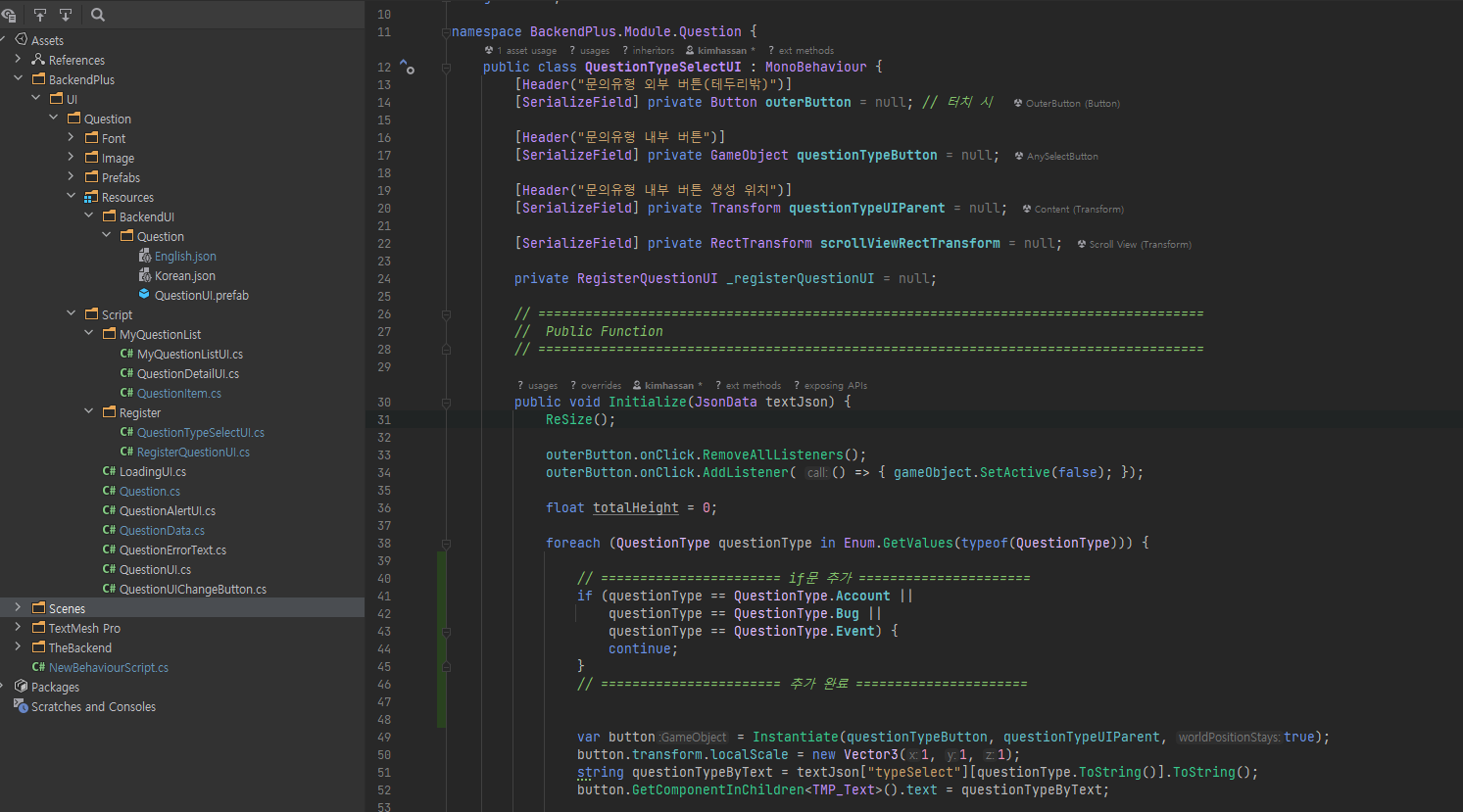
원하지 않는 문의 유형을 제거하고 싶을 경우에는 Assets > BackendPlus > UI > Question > Script > Register > QuestionTypeSelectUI.cs의 스크립트를 수정해야합니다.
QuestionhTypeSelectUI.cs 중 Initialize(LitJson.JsonData textJson)에서 다음과 같은 if문을 추가하여 해당 타입의 오브젝트 생성을 제외할 수 있습니다.
수정 전
        public void Initialize(LitJson.JsonData textJson) {
            ReSize();

            outerButton.onClick.RemoveAllListeners();
            outerButton.onClick.AddListener(() => { gameObject.SetActive(false); });

            float totalHeight = 0;

            foreach(QuestionType questionType in Enum.GetValues(typeof(QuestionType))) {

                var button = Instantiate(questionTypeButton, questionTypeUIParent, true);
                button.transform.localScale = new Vector3(1, 1, 1);
                string questionTypeByText = textJson["typeSelect"][questionType.ToString()].ToString();
                button.GetComponentInChildren<TMP_Text>().text = questionTypeByText;

                button.GetComponent<Button>().onClick.AddListener(() => {
                    _registerQuestionUI.ChangeQuestionType(questionType, questionTypeByText);
                    gameObject.SetActive(false);
                });

                totalHeight += button.GetComponent<RectTransform>().sizeDelta.y;
            }

            if(totalHeight < scrollViewRectTransform.rect.height) {
                float marginWidth = scrollViewRectTransform.offsetMin.x;
                float marginHeight = (gameObject.GetComponent<RectTransform>().rect.height - totalHeight) / 2;


                scrollViewRectTransform.offsetMin = new Vector2(marginWidth,marginHeight);
                scrollViewRectTransform.offsetMax = new Vector2(-marginWidth,-marginHeight);
            }
        }
수정 후
public void Initialize(LitJson.JsonData textJson) {
            ReSize();

            outerButton.onClick.RemoveAllListeners();
            outerButton.onClick.AddListener(() => { gameObject.SetActive(false); });

            float totalHeight = 0;

            foreach(QuestionType questionType in Enum.GetValues(typeof(QuestionType))) {

                // ======================= if문 추가 ======================
                if(questionType == QuestionType.Account ||
                    questionType == QuestionType.Bug ||
                    questionType == QuestionType.Event) {
                    continue;
                }
                // ======================= 추가 완료 ======================

                var button = Instantiate(questionTypeButton, questionTypeUIParent, true);
                button.transform.localScale = new Vector3(1, 1, 1);
                string questionTypeByText = textJson["typeSelect"][questionType.ToString()].ToString();
                button.GetComponentInChildren<TMP_Text>().text = questionTypeByText;

                button.GetComponent<Button>().onClick.AddListener(() => {
                    _registerQuestionUI.ChangeQuestionType(questionType, questionTypeByText);
                    gameObject.SetActive(false);
                });

                totalHeight += button.GetComponent<RectTransform>().sizeDelta.y;
            }

            if(totalHeight < scrollViewRectTransform.rect.height) {
                float marginWidth = scrollViewRectTransform.offsetMin.x;
                float marginHeight = (gameObject.GetComponent<RectTransform>().rect.height - totalHeight) / 2;


                scrollViewRectTransform.offsetMin = new Vector2(marginWidth,marginHeight);
                scrollViewRectTransform.offsetMax = new Vector2(-marginWidth,-marginHeight);
            }
        }
다국어 지원
QuestionUI의 텍스트는 모두 Assests > BackendPlus > UI > Question > Resources > BackendUI > Question 폴더에 위치해있습니다.
해당 폴더에 기본으로 위치한 Korean.json 혹은 English.json 파일을 이용하여 언어를 변경할 수 있습니다.
public void OpenQuestionUI() {
     BackendPlus.Question.SetLanguageJsonName("English");
     BackendPlus.Question.OpenUI();
}
언어를 추가하고자 할 경우에는 다음과 같이 Korean.json 파일을 복사하여 key값은 유지하고 value값만 바꾸어 다른 언어로 이용하실 수 있습니다.
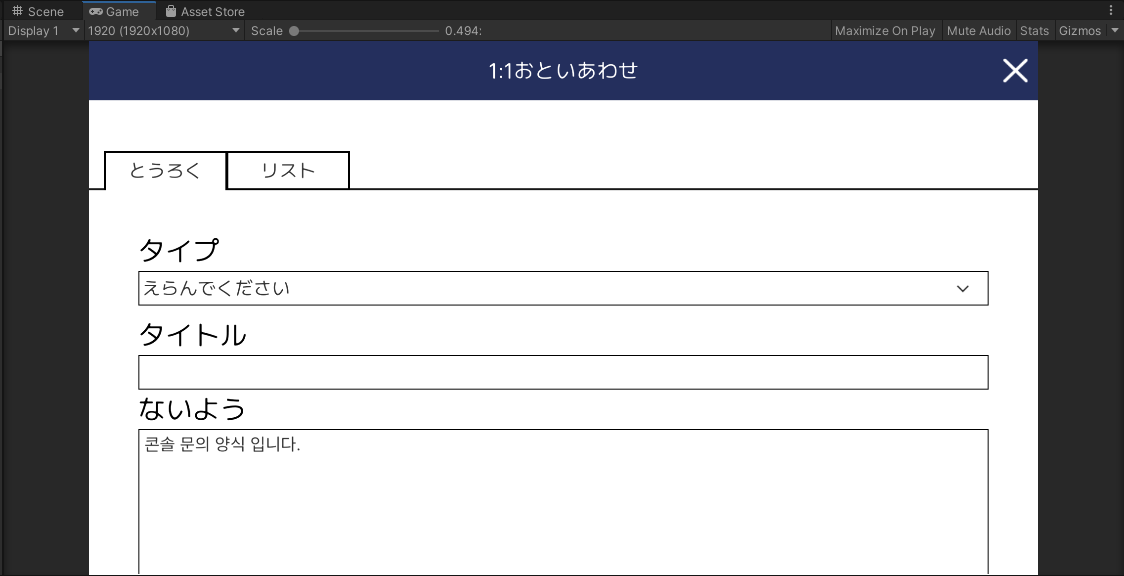
1:1 문의 UI에서 사용중인 Pretendard-Regular 폰트에서는 한자를 제공하지 않습니다. 이 경우에는 한자를 제공하는 다른 폰트를 이용해주시기 바랍니다.
1. Korean.json 복사하여 Japanese.json으로 변경
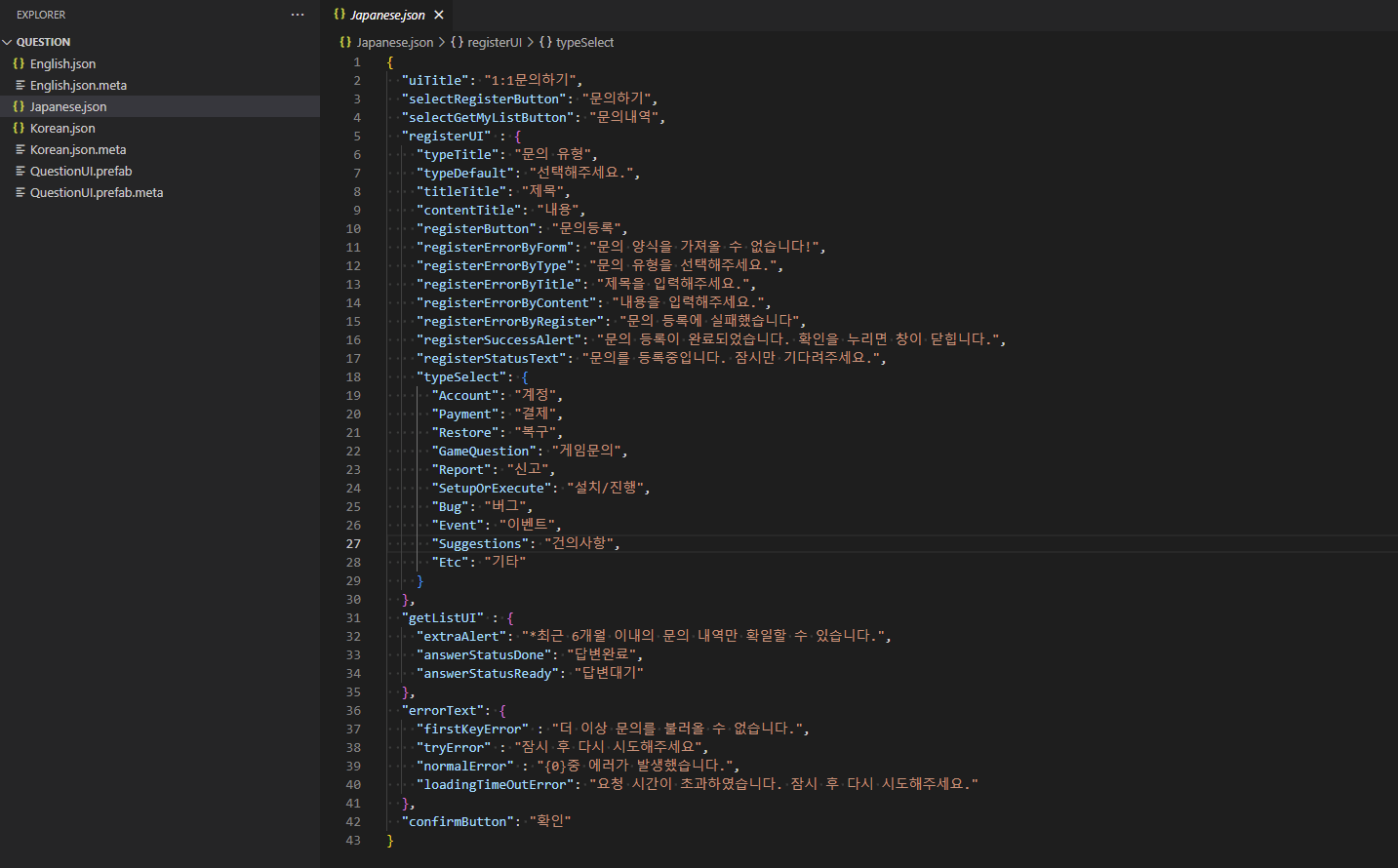
2. value 값 변경

3. SetLanguageJsonName 설정
public void OpenQuestionUI() {
    BackendPlus.Question.SetLanguageJsonName("Japanese");
    BackendPlus.Question.OpenUI();
}