signup
BACKND Guidelines > 1. Implementing Login/Sign-up > Step 2. Implementing Sign-up
Implementing Sign-up
1. Write the sign-up method
Add content to the CustomSignUp method of BackendLogin.cs written in Pre-arrangements.
BackendLogin.cs
Before editing
    public void CustomSignUp(string id, string pw) {
        // Logic for Step 2. Implementing Sign-up
    }
After editing
    public void CustomSignUp(string id, string pw) {
        Debug.Log("Requesting sign-up.");

        var bro = Backend.BMember.CustomSignUp(id, pw);

        if(bro.IsSuccess()) {
            Debug.Log("Sign-up successful. : " + bro);
        } else {
            Debug.LogError("Sign-up failed. : " + bro);
        }
    }
2. Add method call to BackendManager.cs
BackendManager, which is automatically called when the game is executed, must be used to call this method.
Add it so that the method may be called after BACKND initialization.
BackendManager.cs
Before editing
    async void Test() {
        await Task.Run(() => {
            // Adds later test cases
            Debug.Log("Test complete.");
        });
    }
After editing
    async void Test() {
        await Task.Run(() => {
            BackendLogin.Instance.CustomSignUp("user1", "1234"); // [Addition] BACKND sign-up method
            Debug.Log("Test complete.");
        });
    }
3. Test in Unity
After editing the script, execute Unity debugging and check the console log of Unity.
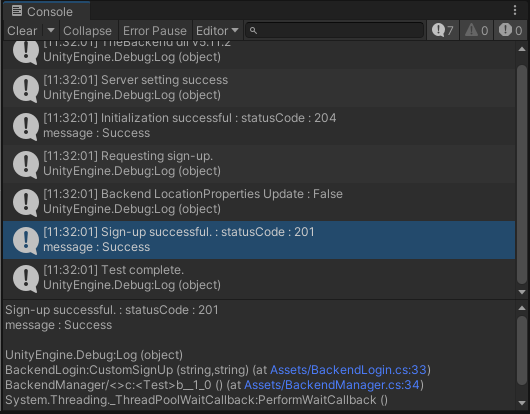
The method has been successfully called when the log displays 'Sign-up successful. : statusCode: 201'.
When errors, such as statusCode : 400, 404, and 409, occur instead of the above log, you can check which error caused the failure in CustomSignUp error case.
When statusCode : 409 error occurs
When the sign-up is done 2 or more times without changing the logic, this error occurs due to the command that attempts to sign up a user who has already signed up.
User1, which goes into BackendLogin.Instance.CustomSignUp of BackendManager.cs, should be changed to another ID.
4. Check in the console
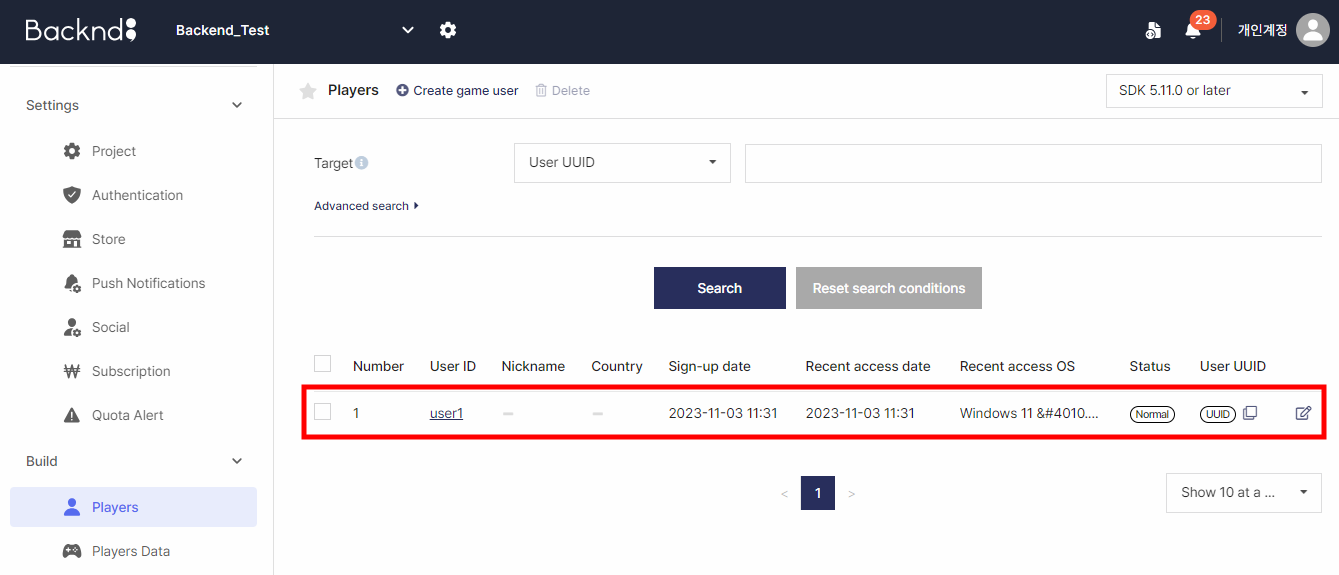
When a log on a successful sign-up appears on the Unity console, go to BACKND Console and check BACKND Base > User Management to confirm that the user has been created.