In-app payments and receipt verifications
An in-app payment logic has been implemented in the example project. However, it is only set to run on the Unity editor to prevent in-app payment through an actual BACKND account on an Android environment.
To test payments in an Android environment, register the app under your personal developer account and complete the in-app payment configurations.
Refer to Google Play Store on how to proceed with in-app payments and receipt verifications.
Note: You can check that the in-app payments and receipt verifications have been implemented by opening the relevant files and reviewing the code in the project.
 - CodeIAPManager.cs
 - ShopManager.cs
 - BackndPurchasing.cs
   ProcessPurchase() //Receipt verification logic
The shop UI is configured to be disabled by default in the Android environment to prevent any unintended payments by users.
Open the ShopManager.cs file within the project and modify the SetActiveUI method as follows to properly test in-app payments in an Android environment.
The test can be performed normally in Unity Editor without any modifications.
        private void SetActiveUI(bool state)
        {
//Conditional instruction compilation handled as comment
//#if UNITY_EDITOR
            _ui.SetActive(state);
//#endif
        }
By handling #if UNITY_EDITOR as comment like above, the UI will be displayed normally on Android environment.
Google Play Console settings
To test in-app payment on an Android environment, the app must be registered on the Google Play Console, followed by in-app product configuration.
Refer to the information below for the product IDs and item names required for testing.
This information can also be found in the Excel file that was downloaded for the chart settings.
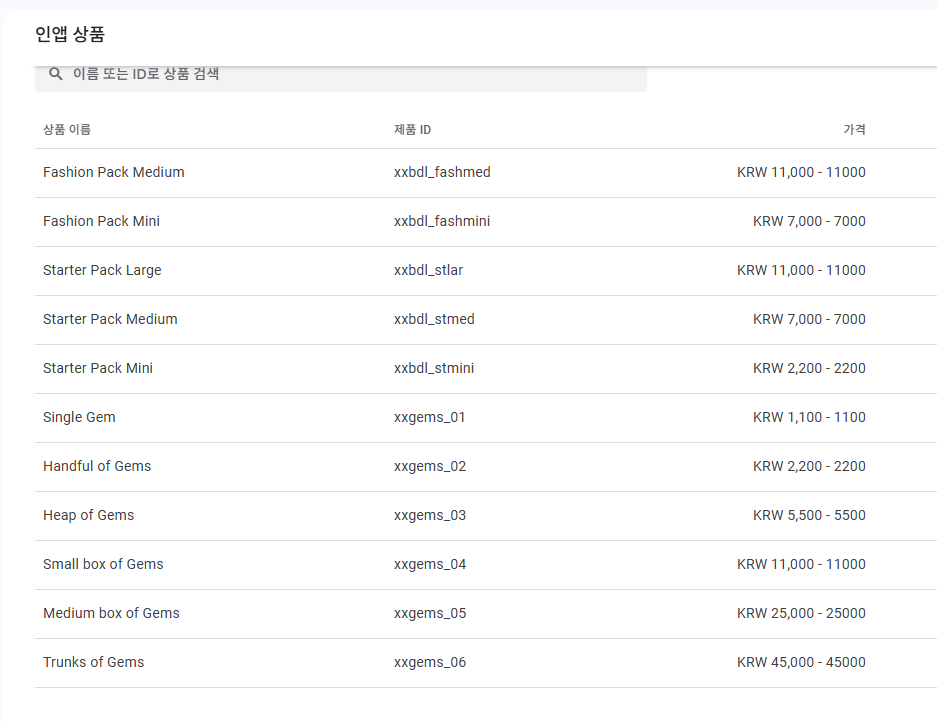
| Product ID | Product name |
|---|---|
| xxgems_01 | Single Gem |
| xxgems_02 | Handful of Gems |
| xxgems_03 | Heap of Gems |
| xxgems_04 | Small box of Gems |
| xxgems_05 | Medium box of Gems |
| xxgems_06 | Trunks of Gems |
| xxbdl_stlar | Starter Pack Large |
| xxbdl_stmed | Starter Pack Medium |
| xxbdl_stmini | Starter Pack Mini |
| xxbdl_fashmed | Fashion Pack Medium |
| xxbdl_fashmini | Fashion Pack Mini |
Excel data file
- GemsShopData.xlsx
- BundleShopData.xlsx
Purchase restoration
When you open CodeIAPManager.cs file, it will be implemented in the OnInitialized method part.
The following is the implemented code part for purchase restoration. For more details, check the file.
        if (product.hasReceipt) // purchase restoration
        {
            if (iapItem.InAppProductType == ProductType.NonConsumable)
                iapItem.InAppPurchaseIsOwned = true;

        else if (iapItem.InAppProductType == ProductType.Subscription)
                iapItem.InAppPurchaseIsOwned =
                new SubscriptionManager(product, null).getSubscriptionInfo().isSubscribed() == Result.True;
        }