How to set mail
the mail can be sent with the items only when the mail function is being used in the chart where those items exist.
In Food Truck Venture, 'RewardItemData' is the chart that contains items that can be sent via mail.
Create mail
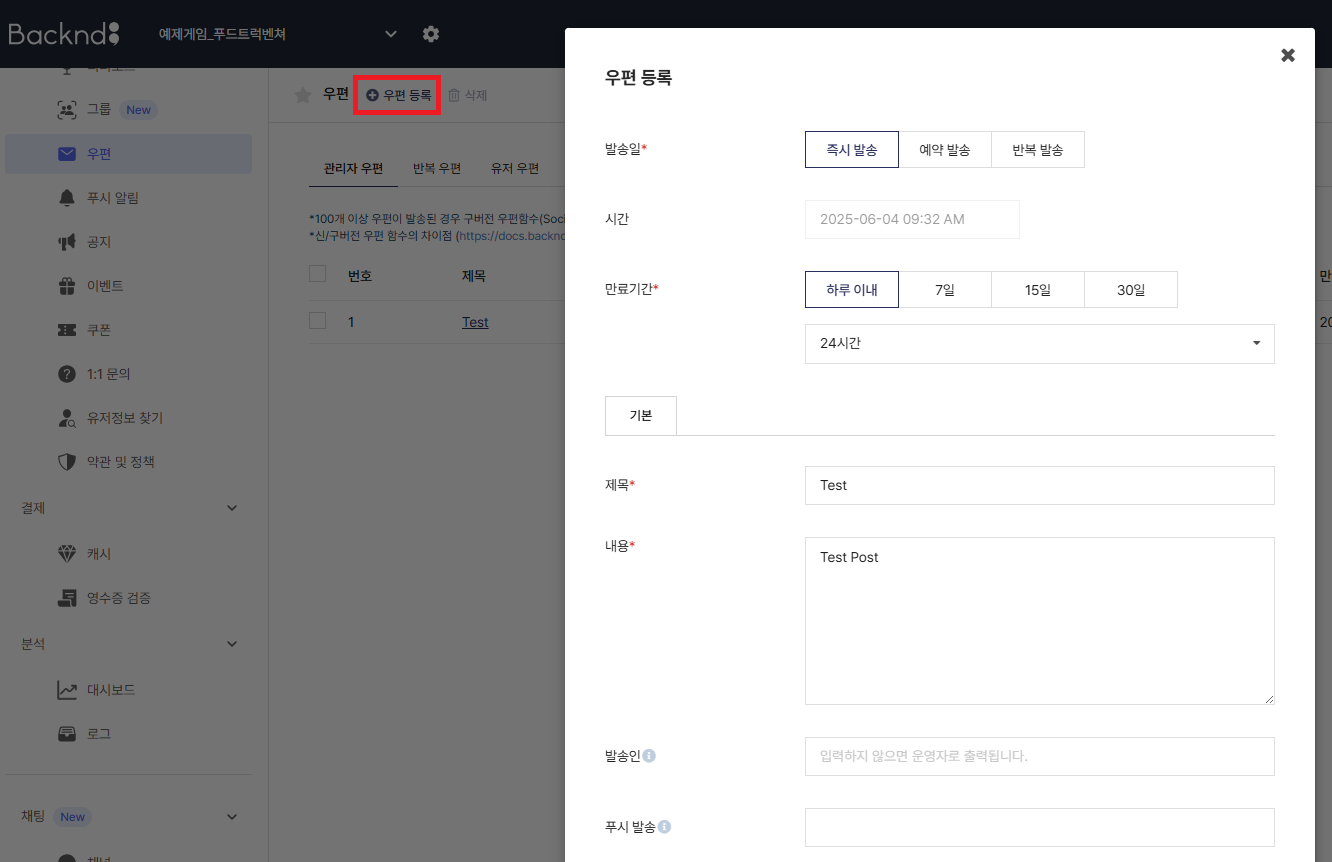
Click Register Mail in the console's mail menu to set up details of the mail.
Enter details such as send date, expiration period, title, and content.
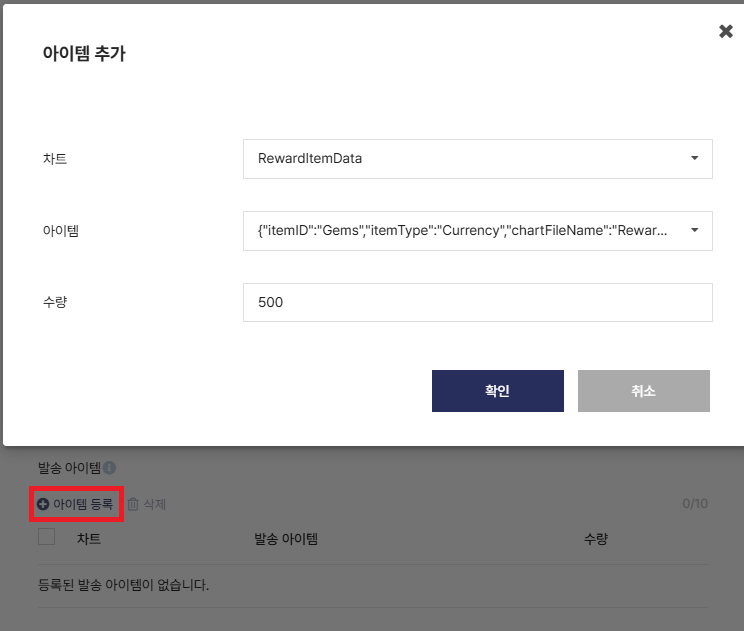
Click Register Item and select the item to be sent if you wish to include items to the mail.
Only items from charts with the mail function enabled can be registered for the mail.
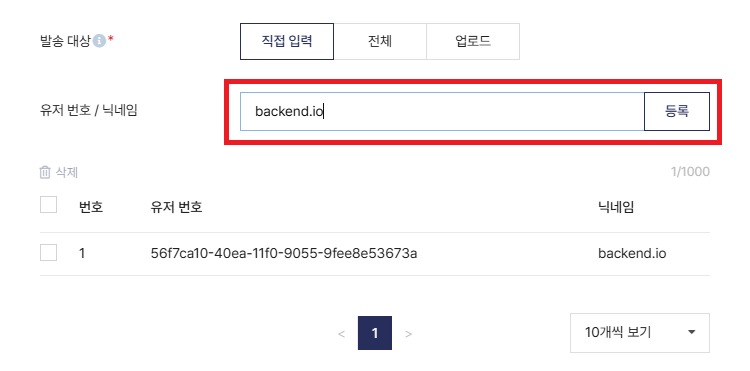
Select the mail recipients. The mail can be sent to all users or specific users.
To select specific recipients, enter the user information manually or upload xlsx, csv file with user numbers or nicknames.
In the image below, user nicknames were entered to designate the recipients.
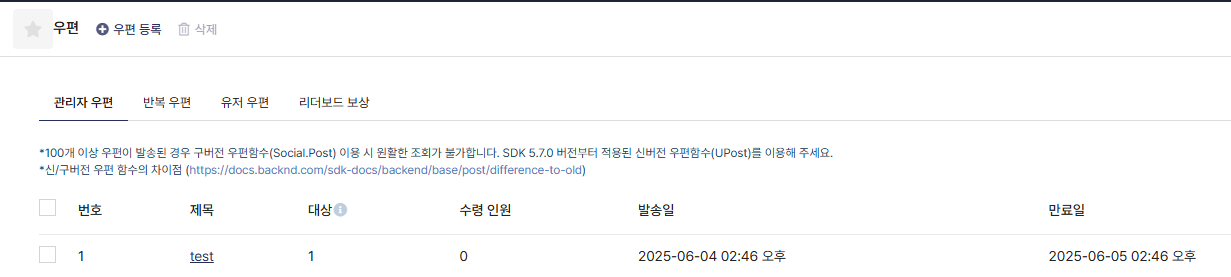
Click Confirm after entering all the information to send the mail.
The mail will immediately appear in-game after sending.
The mail list is loaded from the BACKND Console and stored in the SO_MailData ScriptableObject.
Open the following files to check the part where the mail system is implemented.
- BakcndMail.cs
- AbstractMailReceiveReward.cs
Refer to Mail Functions for more details on mail functions.
How to Create Announcements
Create announcements
Announcements that are displayed upon game launch can be set up from the console's Announcement menu.
Set the posting schedule to immediately post the announcement or reserve it for a later time. Then, enter the title and content.
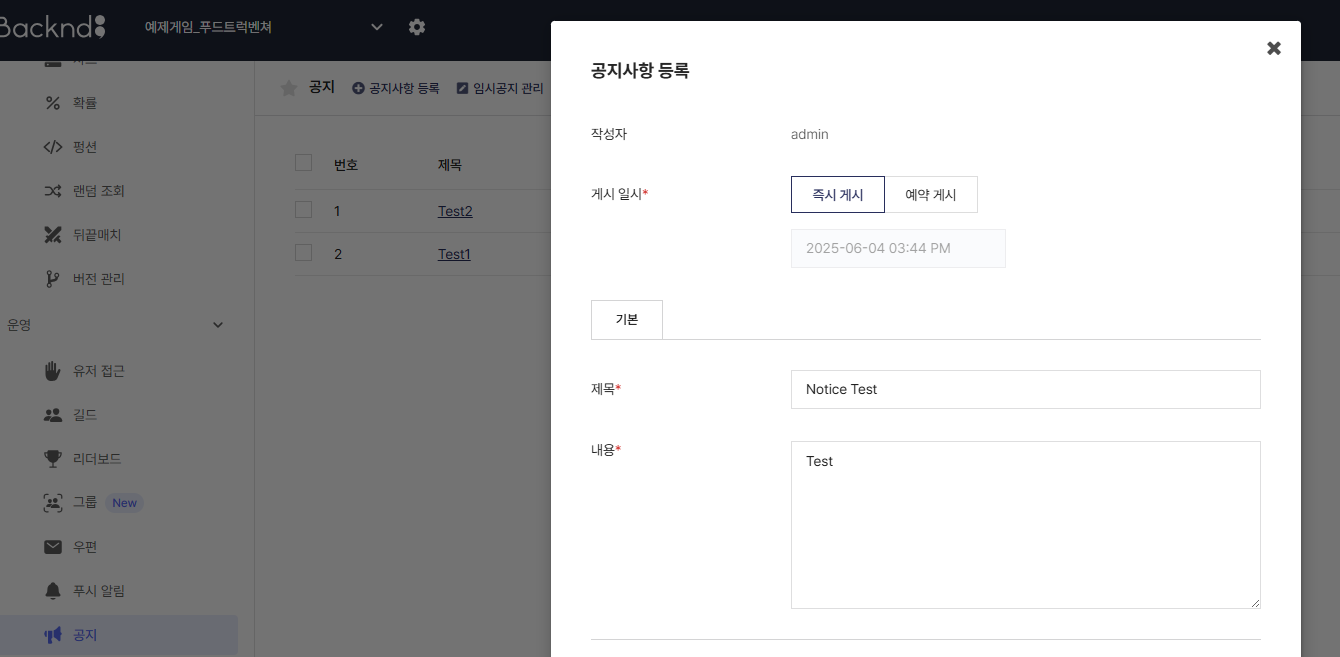
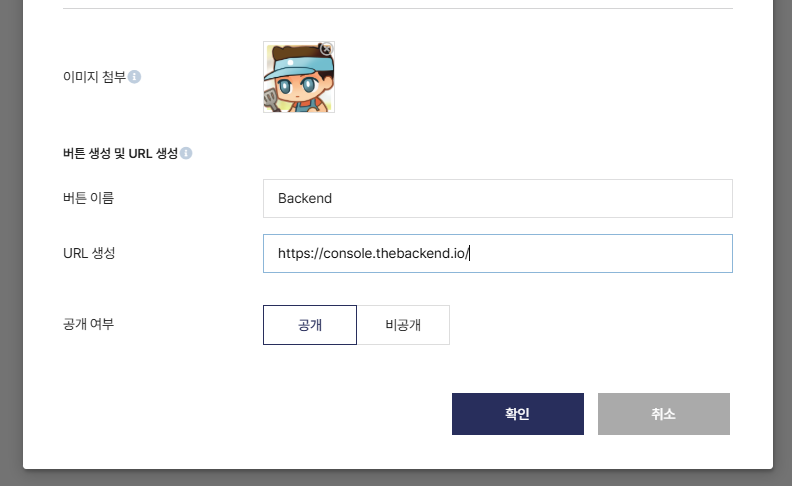
Attaching an image will add it to the announcement.
When you enter values into the button name and URL creation fields, a button is created on the announcement. When users click the button, they move to the corresponding URL.
Open the following files to check the implemented announcement system.
- BackndAnnouncement.cs
- AbstractMailReceiveReward.cs
Refer to Announcements for more details on announcement functions.